

Construction project management, built for owners.
Manage your projects with tools made for construction owners, built to tackle the real challenges you face, every day.

Easy document access.
Keep all your project files in one place for quick access and real-time collaboration. Cut down mistakes and keep things moving smoothly.
Smooth contractor collaboration.
Easily communicate and manage tasks with your contractors, making sure everyone’s on the same page and working together effortlessly.
Clear project insights.
Get a clear view of your project’s progress with easy-to-understand reports and AI-driven insights to help you make smart decisions.
Stay on track with budgets.
Keep an eye on costs and timelines in real time, so you can stick to your budget and deadlines without the stress.
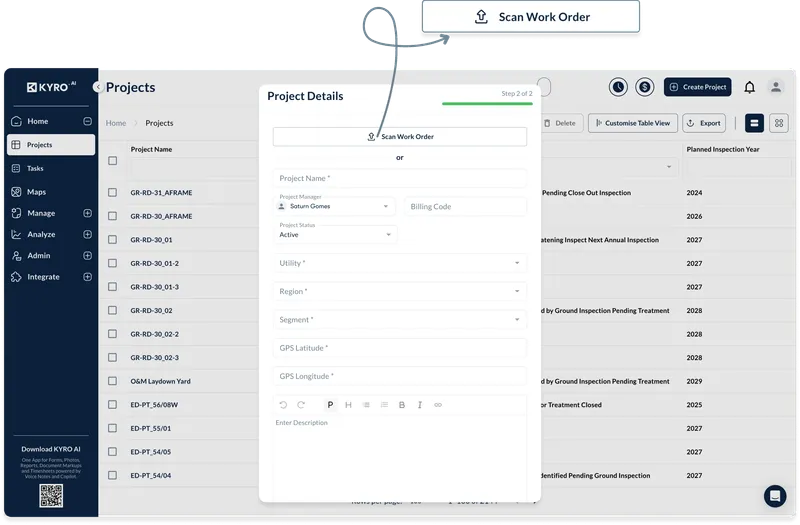
Launch projects instantly.
Set up and assign projects in seconds with KYRO’s intuitive interface. Share all relevant details and work orders or G-702/703 documents, upload them on the cloud, and you’re ready to go immediately.
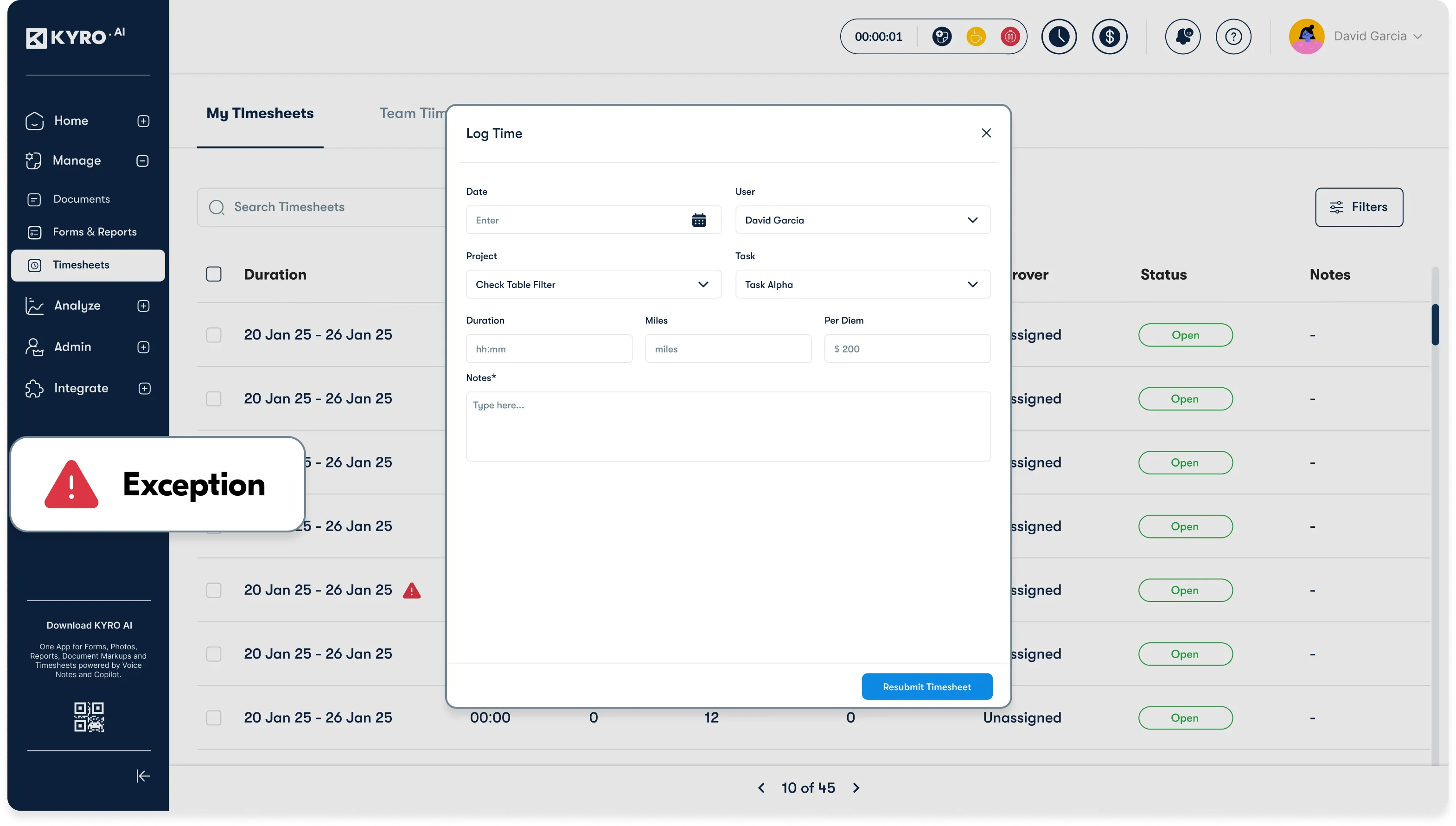
Track budgets and timelines in real-time.
Monitor your project’s financials and schedule with ease. Ensure you stay on budget and on time by quickly identifying any potential discrepancies.
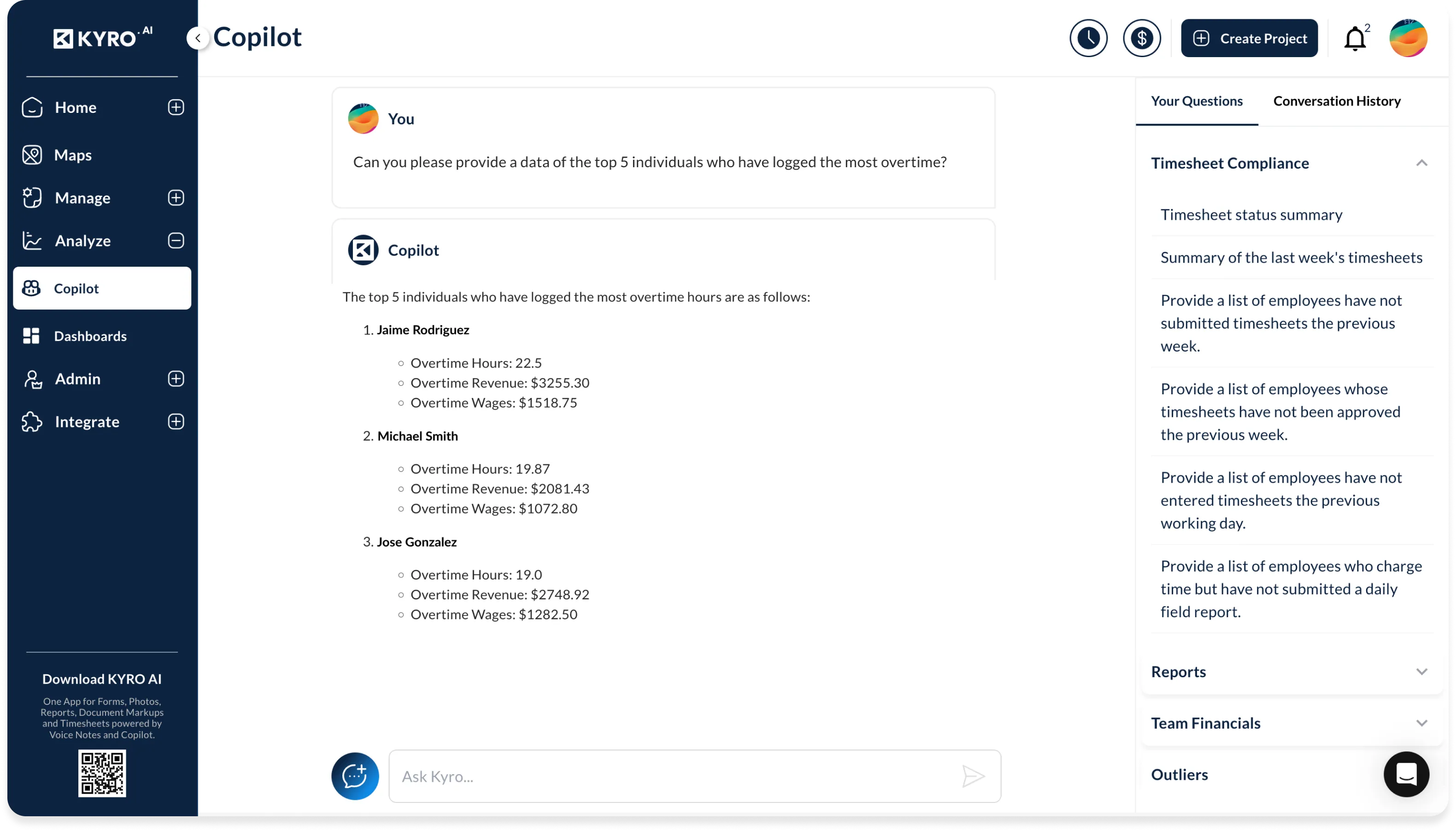
Unlock instant insights with AI Copilot.
Gain valuable, actionable insights by simply asking KYRO’s AI Copilot for specific data, like comparing actual spends with the forecast—saving you time and helping you make better, faster decisions.
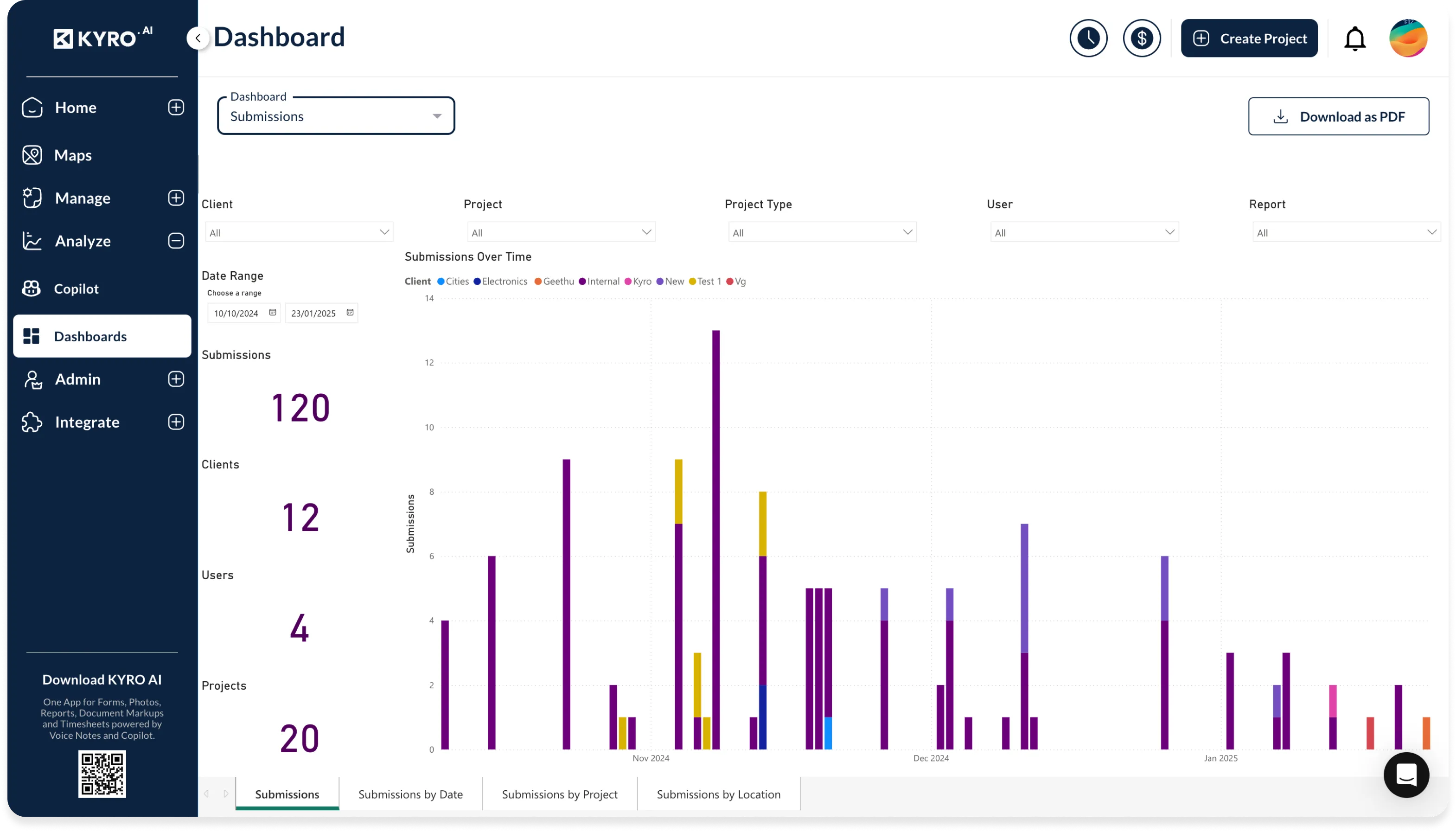
Visualize data effortlessly.
Use KYRO’s intuitive dashboards to keep a clear view of your project’s progress, spot potential issues early, and take action before they escalate.