Project Management
Stop managing projects across spreadsheets, emails, and phone calls.
KYRO's Project Management module gives utilities, contractors, and field teams a single source of truth for every project — with real-time visibility from the office to the field.







The Project Management Problem
Work orders buried in email threads
No real-time visibility into field progress
Approval bottlenecks that delay work by days
Disconnected task tracking with no accountability
Critical documents scattered across shared drives

Transform how you manage project files with centralized storage and real-time collaboration. KYRO ensures your files are secure, accessible, and ready whenever you need them.
.webp)
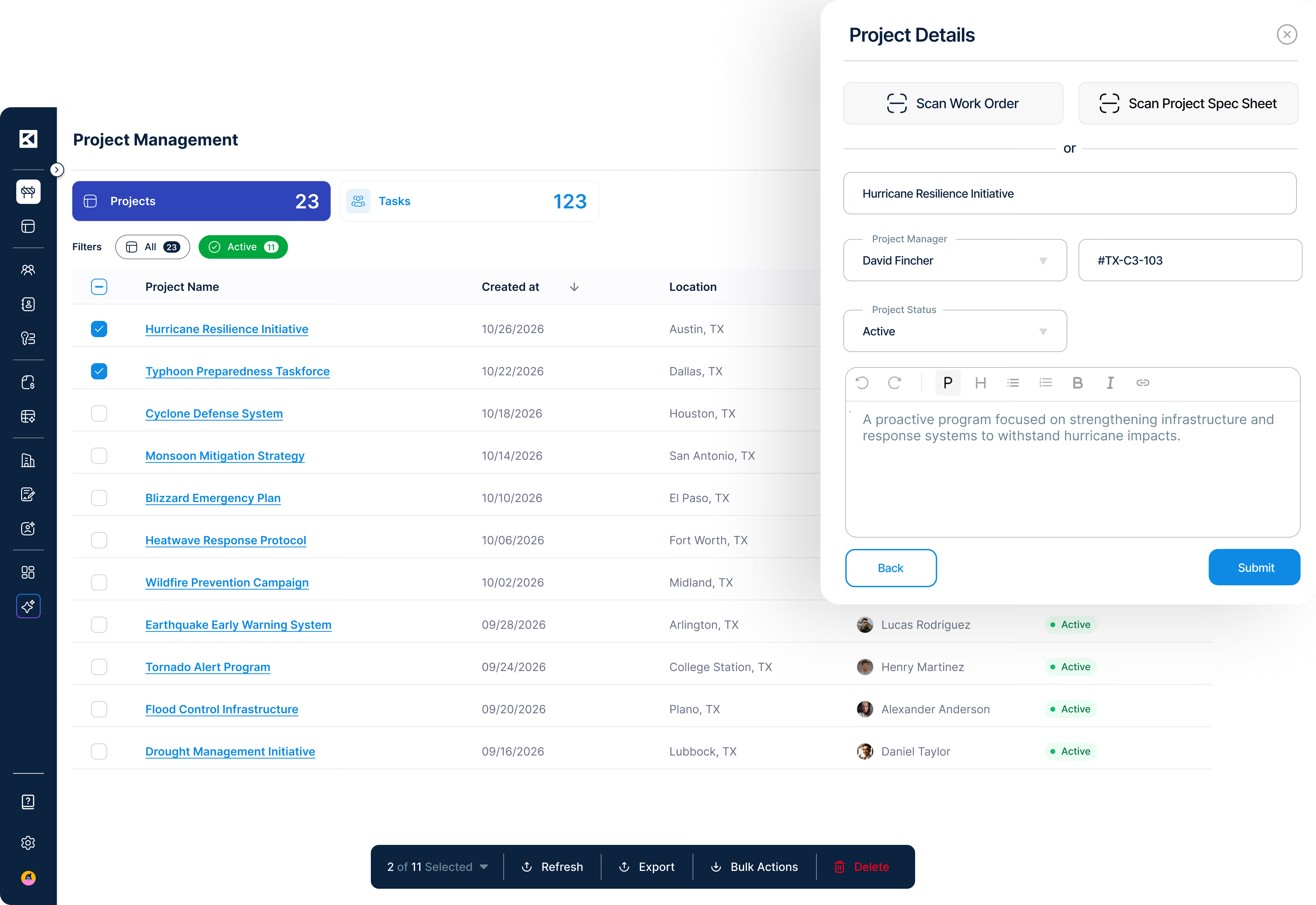
Projects & Task Management
Projects & Task Management— Create, assign, and track work across every project phase with real-time status visible to every stakeholder.
Approval Workflows— Route approvals automatically based on project type, scope, and value thresholds.
Notification Workflows— Configurable alerts ensure the right people are notified at every milestone.
Scan Work Orders— Capture paper work orders from the field via mobile camera with AI-assisted data extraction.
User Groups— Control visibility and access by role, crew, or project.
Maps, Field Tools & Offline Access
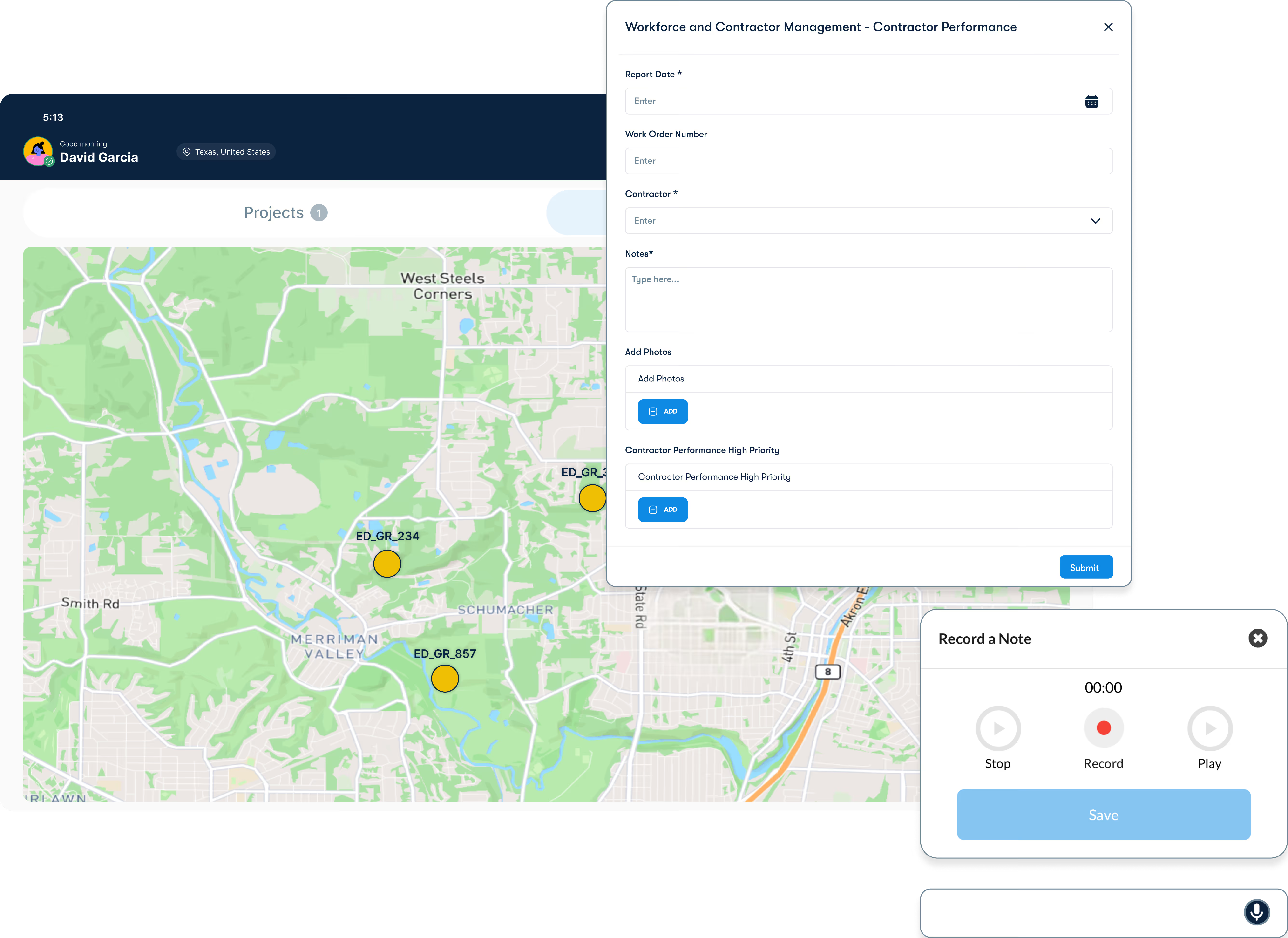
Maps & Geofencing— Visualize project locations on ArcGIS maps and set geofenced check-in zones for field crews.
Voice Notes— Field teams capture updates hands-free — voice notes auto-transcribe and attach to the relevant task.
Offline Mobile Access— Full functionality without cell coverage — syncs automatically when connectivity resumes.
GPS-Verified Timesheets— Timesheets tied to GPS location — verify that time recorded matches where crews actually worked.
Punch Lists— Digital punch lists replace paper forms — track outstanding items through to resolution.
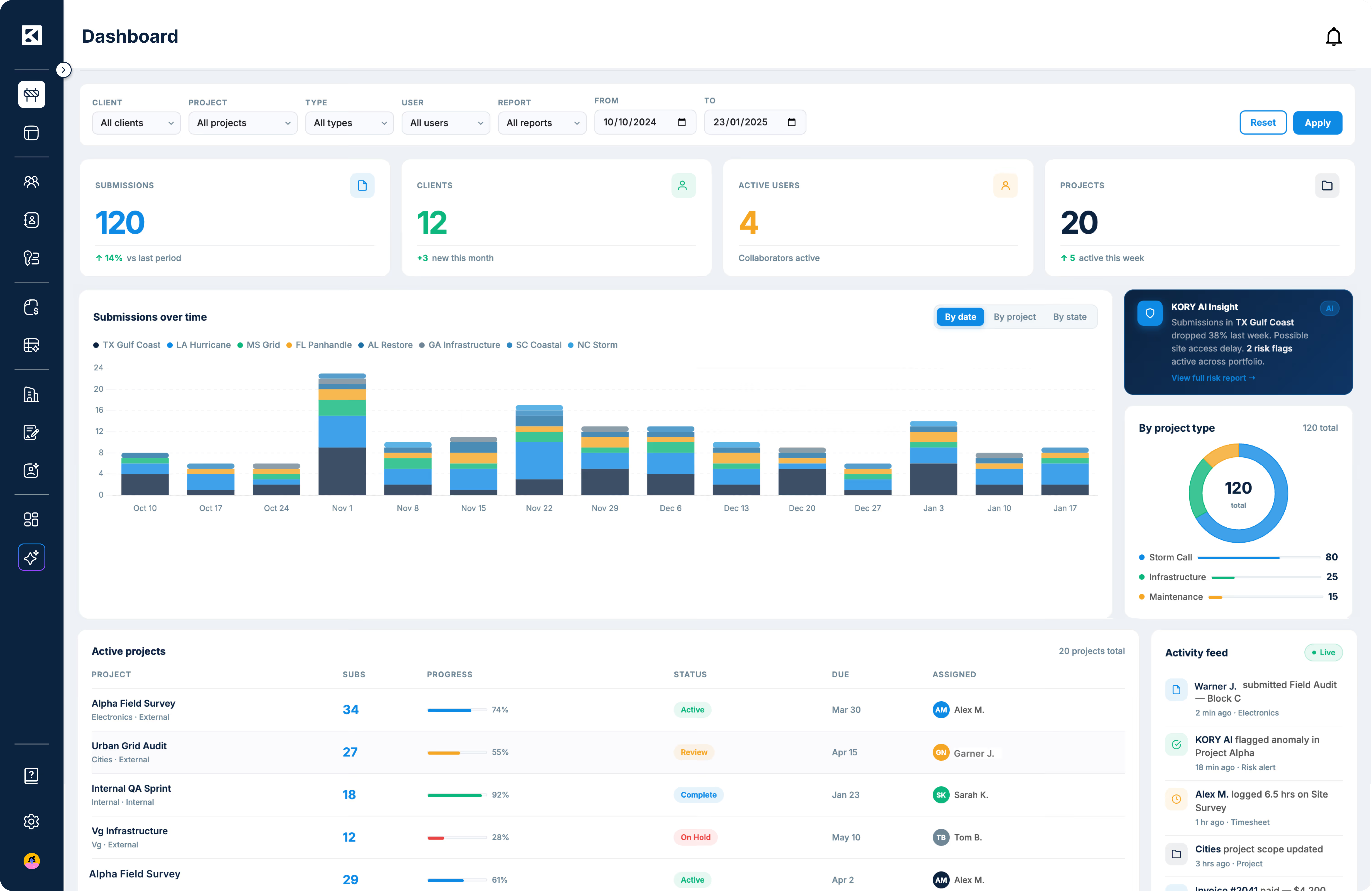
Dashboards & Reporting
Standard & Custom Dashboards— Pre-built dashboards for roster, timesheet, and invoice insights.
Real-Time Data Sync— Every update from the field is reflected in dashboards instantly.
AI-Driven Analytics— KORY AI surfaces anomalies, trends, and risk flags across your active project portfolio.
The KYRO impact
Measurable results across major utilities and vendors.
1 platform
Replaces 7 disconnected tools
Real-time
Field-to-office data sync
500%
Improvement in financial health
FAQ's
Do we have to replace all our existing tools to use KYRO, or can we keep what's working?
You keep whatever you like. KYRO is flexible and works alongside your existing software — our APIs are free and open, so KYRO connects to the tools you're already using. Most customers find they naturally consolidate over time as they realize KYRO handles more than they expected, but there's no requirement to rip and replace on day one.
Does KYRO replace the project management tools we're already using?
For most contractors, yes — KYRO replaces Monday.com, shared drive document management, paper punch lists, and disconnected timesheet tools, all for $500/month per module with unlimited users. But if there are tools you want to keep, KYRO integrates with them. Our APIs are free.
Can field crews use KYRO without reliable cell coverage?
Yes. KYRO's mobile app operates fully offline — crews capture tasks, photos, voice notes, and timesheets in the field with no connectivity. Everything syncs automatically when they're back in range.
How do approval workflows work across different roles?
Approval chains are fully configurable by project type, scope, and value threshold. A foreman's timesheet can route to a PM, then to finance — automatically, with notifications at each step and a complete audit trail.