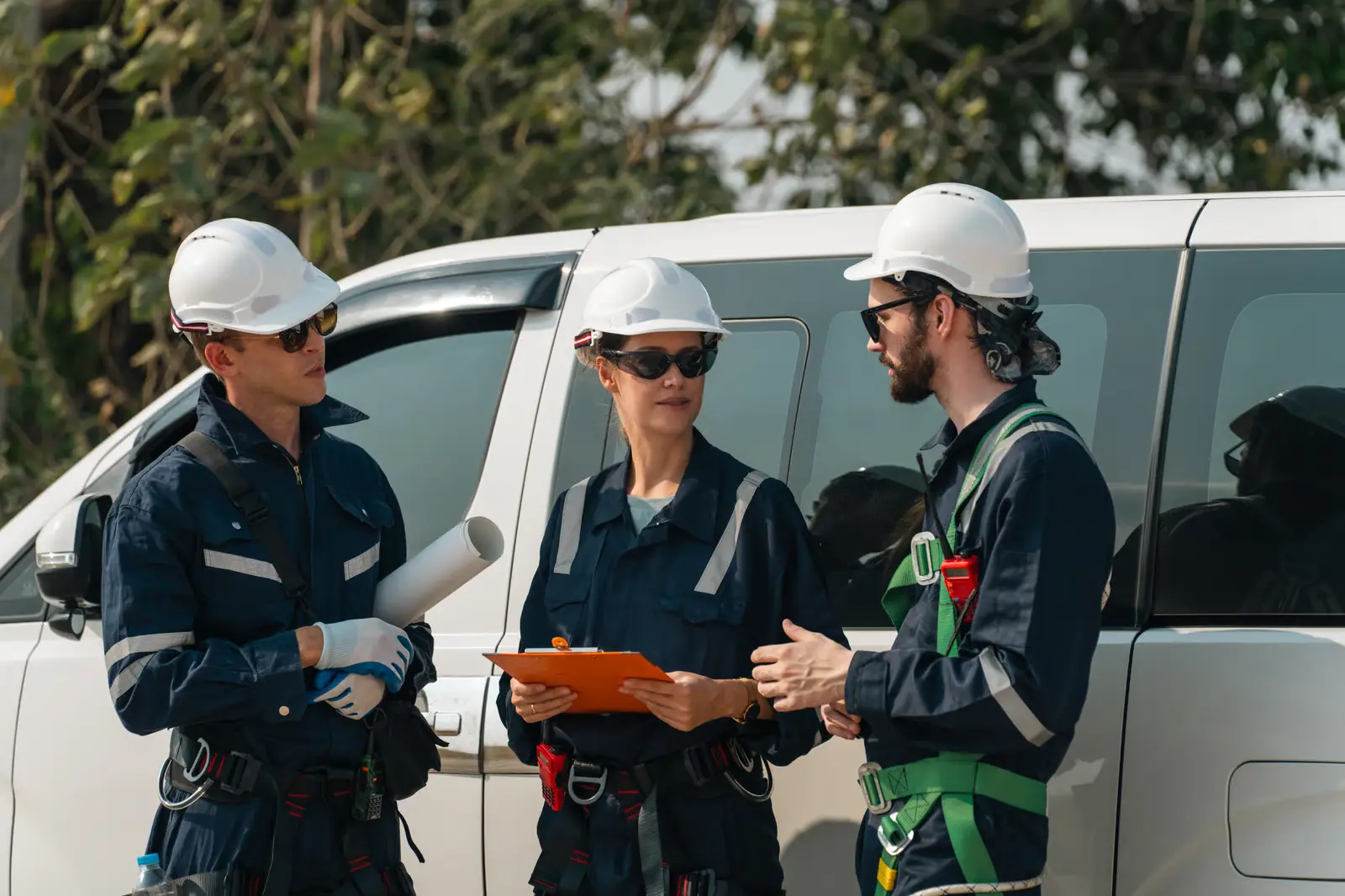
When a major storm is approaching, knowing how many crews you need is only the first step. You also need to know who is available, what skills you need, where crews should be staged, and how quickly they can get there.
However, this information can change quickly. A crew that was available in the morning may no longer be available by the afternoon. A service area that looked manageable on the forecast may turn into a major restoration zone once damage assessments start coming in.
Storm crew mobilization is how utilities keep track of those moving parts and turn them into an actionable response plan. If done well, it means fewer hours spent chasing confirmations, rebuilding rosters, or figuring out where resources went.
What Is Storm Crew Mobilization?
Storm crew mobilization is the process of identifying, assembling, allocating resources, staging them, and deploying the workforce and resources a utility needs to respond to a storm.
It can include coordinating with internal employees, contractors, mutual aid crews, subcontractors, and specialized workers. The process usually starts when a storm is expected to affect the service territory and continues through callouts, confirmations, crew assembly, staging, and deployment.
For utilities, effective mobilization matters because the faster crews are ready to deploy, the sooner restoration work can begin.
A solid mobilization process gives the operations team a clearer picture of:
- Where resource shortages are likely to show up.
- Which employees and contractors are genuinely available for the event.
- When it's time to request mutual aid or bring in additional contractors.
- Whether the crews being assembled have the right skills and equipment for the work.
- Which callouts have been accepted, declined, or simply left unanswered.
- Where crews are, what they're doing, and what's still outstanding.
- When resources need to be moved because restoration priorities have changed.
Why Storm Crew Mobilization Should Be a Priority for Electric Utilities?
Storm crew mobilization sets the pace for everything that follows. When outages spread across a service territory, utilities need the right crews in the right places without losing hours to manual callouts, availability checks, or coordination gaps.
Fast mobilization helps utilities start damage assessment and restoration sooner, use internal and mutual-aid resources efficiently, and move crews as priorities change.
This level of coordination highlights why utilities need a structured, repeatable approach to mobilizing crews quickly and keeping resources aligned throughout the response.
The Storm Crew Mobilization Process
Storm mobilization isn't really one big task. It's a chain of smaller decisions.
The exact process will vary from one utility to another. But the basic flow looks like this:
- Step 1. Assess the potential impact: Start with what you know about the storm. Look at its projected path, expected severity, the areas it could affect, historical outage patterns, and the assets in those areas. You need a reasonable starting point to estimate the response.
- Step 2. Estimate your crew requirements: Now turn that storm picture into a workforce estimate. How many outages could you deal with? Where are they likely to occur? What kind of restoration work might be involved? And which skills will that work require?
- Step 3. Review your available workforce: Take a close look at your internal crews, contractors, standby personnel, and other resources you can activate. Sometimes an old roster can give out wrong signals. Someone listed as available six months ago may not actually be available when the storm hits. Confirm it.
- Step 4. Identify resource gaps: Put the expected requirement next to the resources you can realistically put on the ground. The difference is your gap. Maybe you're short on lineworkers. Maybe you need more tree crews or equipment operators. Whatever the shortage is, identify it early enough to do something about it.
- Step 5. Activate mutual aid and external resources: If your own workforce won't cover the expected workload, start reaching out. Request mutual aid or contact contractors based on what you need. Give those resources enough time to respond, travel, and get staged. Waiting until the situation is already critical makes logistics much harder.
- Step 6. Issue crew callouts: Send the callout to the people and crews who could actually fill the gap. Keep the information clear: what's happening, where they need to go, when they're expected, what kind of work is involved, and anything else they need to make a decision. The fewer unnecessary steps between the callout and the response, the better.
- Step 7. Confirm availability: A callout isn't the same thing as a confirmed crew. Keep track of who accepted, who declined, and who hasn't responded. Those unanswered callouts matter because an unconfirmed resource shouldn't be counted as available when you're making deployment decisions.
- Step 8. Build deployment-ready crews: Once you know who's coming, put the teams together. Look at classifications, skills, crew size, equipment, and the requirements of the work they'll be doing. Put together crews that can actually perform the assignment.
- Step 9. Stage crews strategically: Position them close enough to likely work areas to cut down on travel, but don't overlook road conditions, safety, storm impacts, or access. Keep an eye on where restoration priorities are developing too. Staging decisions may need to change as the situation does.
- Step 10. Deploy crews when conditions allow: Before crews move, make sure they know where to go, when to report, what they're assigned to, and how to get there. Include any other instructions they need. During a large storm response, even a small gap in information can leave crews waiting or heading to the wrong place.
- Step 11. Track and adjust resources: The original deployment plan will rarely stay intact. Outage numbers change. Damage assessments come in. One area may turn out to need far more help than another. Keep an eye on crew location, availability, progress, and changing priorities, then move resources where they're needed.
- Step 12. Demobilize and close out: When the restoration work starts winding down, there is still work to do. Coordinate travel, collect timesheets and other paperwork, return equipment, and make sure the remaining response tasks are wrapped up. A clean demobilization makes the next event easier to manage.
How to Determine the Number of Crews Needed for Utilities
There isn't a simple formula that says a particular storm equals a particular number of crews.
The number depends on what the storm is likely to do, where it will do it, what kind of damage it creates, how quickly crews can work, and how many resources you already have.
A more useful approach is to work through the following:
- Start with the expected storm impact. Look at the forecast, but don't stop there. Bring in your outage history, asset data, service territory information, and what you've learned from previous storms. A storm's intensity and path matter, but so does what sits underneath that path.
- Estimate the potential workload. Think beyond the number of expected outages. There could be downed poles and lines, vegetation damage, inspections, damage assessment, substation issues, transmission work, and other tasks that don't show up in an initial outage estimate.
- Break crew requirements down by location. A territory-wide number can hide a serious local shortage. If one service area is likely to take the brunt of the storm, you need to know that before crews start arriving.
- Match crew requirements to the work. Not every crew can do every job. You may need distribution line crews in one area, transmission crews somewhere else, tree crews for vegetation work, damage assessment teams for initial inspections, and equipment operators for heavier work. The expected workload should drive the mix.
- Account for crew productivity. Don't base the estimate on ideal working conditions. Storm restoration rarely happens under ideal conditions. Crews may have to deal with flooded roads, blocked access, poor weather, limited daylight, safety restrictions, difficult terrain, or long travel times. All of that affects how much work they can actually complete.
- Factor in travel and staging time. A crew that's available isn't necessarily a crew that's ready. If mutual aid is coming from several hours away, that travel time needs to be part of the plan. The same goes for deciding where those crews will stage once they arrive.
- Build in a resource buffer. Forecasts change. Damage estimates change even faster once crews get into the field. Keep some room in the plan rather than assuming the first estimate will be exactly right.
- Compare required crews with available capacity. Once you have an estimate, put it against your internal workforce, contractors, and confirmed mutual aid. That's where the real gap becomes visible. If you need 40 crews and can confirm 30, you know there's still work to do.
- Update crew requirements as conditions change. Treat the first estimate as a working number, not a final answer. As outage data improves and field crews report what they're seeing, update the requirement. If one area needs fewer resources than expected, those crews may be more useful somewhere else.
How Utilities Can Build Storm Response Crews
A list of available people isn't the same as a list of available crews.
You might have enough lineworkers on paper, for example, but still not have the right combination of experience, classifications, equipment, and crew structure to put them to work.
That's why crew building deserves attention before the storm.
- Start with your core workforce. Know which employees and regular crews can be activated quickly. These are usually the first resources you'll look to when a response begins.
- Add contractor resources. Have a clear idea of which contractors can provide additional lineworkers, specialized crews, equipment operators, vegetation resources, or other capabilities. Don't wait until the storm is already causing widespread damage to figure out who can provide what.
- Keep worker details current. Track licenses, certifications, skills, and other requirements so you know who is qualified for each job before you need to deploy a crew.
- Define the crew structure you need. Different jobs call for different combinations of people. Work out those requirements ahead of time so you're not trying to figure out the ideal crew makeup while resources are already being mobilized.
- Match skills to assignments. Start with the work and build the crew around it. Simply reaching a headcount doesn't mean you've got the right team. The people assigned need to have the skills and qualifications required for the job.
- Account for equipment. A crew may be confirmed and still not be ready to deploy if the required vehicles, tools, materials, or specialized equipment aren't available. Check those dependencies as part of the mobilization process.
- Maintain a standby bench. Keep additional qualified resources in reserve. You may not need them for the initial deployment, but having people you can call on later gives you some breathing room when the storm turns out to be larger than expected.
- Plan for contractor and subcontractor networks. Things get more complicated when your contractors rely on subcontractors of their own. Know how availability, qualifications, roster changes, and other information will move through that network. Otherwise, you can end up with gaps in visibility exactly when you need it most.
- Use previous storms as a planning resource. Go back to your past events. Which crew structures worked? Where were you short? Which resources arrived too late? Which skills were harder to find? Those answers can tell you more about future requirements than a generic storm plan can.
- Keep your roster current during blue-sky periods. This is probably the least exciting part of storm planning, but it's one of the most useful. Keep contact information, workforce details, qualifications, contractor information, and availability data up to date when things are quiet. Then, when a storm is approaching, you're working from a current resource picture instead of rebuilding one from scratch.
How Mutual Aid Crews Fit Into Storm Mobilization
Your own crews may be enough for a routine event. Major storms are different.
The amount of restoration work can quickly outgrow the workforce you have on hand. That's when mutual aid becomes part of the response. Other utilities, contractors, and partner organizations can provide crews and resources that you don't have enough of internally.
But requesting mutual aid is only the beginning. Those crews still need to be matched to the work, confirmed, brought into the territory, and integrated with the teams already working on the response.
The process typically looks like this:
- Identify the resource gap: Compare expected restoration work with the crews you already have available.
- Request mutual aid: Determine the number and type of crews required and submit requests through your mutual aid network.
- Confirm crew availability: Track which crews have accepted, declined, or are still responding to the request.
- Verify crew capabilities: Check skills, qualifications, equipment, and other requirements before assigning work.
- Coordinate travel and staging: Provide reporting locations and staging instructions so crews know where to go when they arrive.
- Complete onboarding: Make sure the incoming team receive the required crew safety, operational, and site information.
- Assign and track crews: Match crews to restoration priorities and track their status as they travel, stage, work, and become available.
- Reallocate as conditions change: Move crews to higher-priority areas as damage assessments and restoration needs change.
How Utilities Call Out and Confirm Crews
A crew callout is where the plan starts becoming real, and the process needs to be more than sending a message and waiting.
- Start with a qualified callout list. Use current workforce information and make sure the people you're contacting are qualified for the type of work you expect them to perform.
- Call the right people first. Look at location, skills, availability, equipment, and storm experience when deciding who to contact.
- Give people enough information to make a decision. Tell them what event they're responding to, where they're expected to report, when they need to be there, what kind of work is involved, and anything else that could affect their decision.
- Keep the response simple. People should be able to quickly say yes, no, or “I need more information.” If responding to a callout involves several steps, you're likely to get slower responses when time matters most.
- Know who has confirmed. Keep accepted, declined, and unanswered callouts separate. If someone hasn’t responded, don’t count them as available.
- Follow up when there's no response. An unanswered callout is a gap in your resource picture. Set up a clear follow-up or escalation process rather than assuming the person will eventually respond.
- Start building crews as people confirm. You don't necessarily need to wait for every callout to close before you start putting teams together. As qualified resources come in, you can begin forming crews around the work that needs to be done.
- Check the details before deployment. Make sure the selected people have the right credentials, classifications, skills, and equipment. It's much better to find a mismatch before a crew leaves the staging area.
- Keep crews updated when plans move. Storm response plans change. Reporting locations shift. Assignments get reprioritized. If something changes, make sure the crews affected receive the update and know what they should do next.
- Keep a record. Track who was contacted, who responded, who declined, and who was deployed. This makes it easier to review what worked and plan the next response.
How Utilities Stage, Deploy and Manage Crews Before and After Deployment
Once you have confirmed crews, mobilization moves from resource acquisition to field execution. This stage is where location, timing, communication, and visibility become especially important.
Before Deployment: Stage Crews Where They Can Respond
Once you’ve confirmed your crews, you need to position them where they can reach affected areas quickly. Staging crews closer to expected damage zones helps reduce travel time and gets resources ready to move as soon as work is identified.
- Choose locations that put crews close enough to potential work areas without exposing them unnecessarily to unsafe conditions.
- Use your latest information to determine where crews are most likely to be needed.
- Give crews clear instructions about where and when to report.
- Account for road conditions, fuel, lodging, equipment, and other requirements that could affect arrival.
- Before crews leave, make sure the people, vehicles, equipment, credentials, and required documentation are ready.
- If the storm changes direction or damage estimates change, be prepared to adjust staging locations.
During Deployment: Get the Right Crews to the Right Work
Once crews are ready, assign them to work based on their skills, equipment, and location. As priorities change, move crews where they’re needed most.
- Make sure they understand where they need to go, what work they are expected to perform, and who they report to.
- Use your outage, damage, safety, and operational information to determine where resources should go first.
- A nearby crew may not always be the right crew if it lacks the skills or equipment required for the assignment.
- Keep assignments visible across the operation, so crews aren't duplicated or sent to conflicting locations.
- Know which crews are en route, staged, working, available, delayed, or complete.
After Deployment: Reallocate and Close Out Resources
As work gets completed, some crews may become available while other areas still need help. Move crews where they’re needed, track completed work, and close out resources when their assignments are done.
- As work is completed, determine where the next resource gap exists.
- Move crews to higher-priority work when their current assignment is complete or conditions change.
- Capture the work completed, time spent, equipment used, and other information needed for restoration reporting.
- When crews are no longer required, provide clear release and travel instructions.
- Collect timesheets, expenses, equipment records, and other required information while the event is still fresh.
- After the event, compare your original mobilization plan with actual resource demand, response times, crew utilization, and deployment outcomes.
Common Storm Crew Mobilization Challenges
Even well-prepared utilities can face bottlenecks during major storms. The biggest problems often occur at the handoffs between planning, communication, confirmation, and deployment.
Here are some of the common storm crew mobilization challenges:
- You may have outdated crew availability. A roster can show who was available yesterday without telling you who can actually respond today.
- You may spend too much time making calls and sending messages. Manual callouts become increasingly difficult as the number of crews grows.
- You may not know who has responded. When confirmations are spread across calls, texts, emails, and spreadsheets, your team can lose track of the latest status.
- You may have unanswered callouts. A lack of response creates uncertainty and forces your team to spend time chasing individual crews.
- You may struggle to build the right crew mix. Filling a headcount doesn't guarantee that the resulting crew has the right qualifications and equipment.
- You may have limited visibility into mutual aid resources. External crews can be difficult to coordinate when information is scattered across multiple organizations.
- You may stage crews based on outdated information. Storm paths and damage estimates can change, making an earlier staging plan less useful.
- You may have crews in the wrong place at the wrong time. Without visibility into location and status, reassignment becomes slower.
- You may rely on disconnected systems. When rosters, credentials, callouts, crew status, and field information live in separate systems, your operations team spends time moving information between them.
- You may lose valuable information during handoffs. Every manual transfer between teams creates another opportunity for information to become outdated or incomplete.
Manual vs. Automated Crew Callout
When you handle callouts manually, keeping track of who answered, who declined, and who hasn’t responded can become a job of its own. A digitized linemen callout process can take much of that coordination off your team’s plate and give you a clearer view of who’s actually available.
The difference becomes most noticeable when you need to mobilize a large number of resources quickly.
| Manual Crew Callout |
Digitized Linemen Crew Callout |
| Calls, texts, and emails sent individually |
One workflow can reach multiple resources |
| Responses tracked manually |
Responses captured centrally |
| Staff chase unanswered callouts |
Unanswered responses can be identified quickly |
| Availability may sit across spreadsheets |
Availability is visible in one place |
| Roster updates require manual entry |
Confirmations can flow into the roster |
| Follow-ups depend heavily on dispatch staff |
Automated notifications and status tracking reduce manual work |
| Difficult to scale during large events |
Better suited to high-volume mobilization |
Storm Crew Mobilization KPIs
Tracking how quickly the storm crews were called, confirmed, staged, and assigned helps you see what worked and where mobilization slowed down.
Some useful KPIs for crew mobilization include:
- Time to mobilize: Measure the time between initial storm activation and the point when crews are ready for dispatch or already en route. This gives you a baseline for how quickly the overall mobilization process moves.
- Crew callout response rate: Look at the percentage of contacted resources that respond within your required timeframe. If that number is consistently low, you may need to look more closely at your callout lists, communication process, or resource pool.
- Crew confirmation time: Measure how long it takes to go from an initial callout to a confirmed resource. The sooner you know who's actually coming, the sooner you can see whether there are still gaps to fill.
- Travel and arrival time: Track how long crews take to get from dispatch to their staging or work location. This is particularly useful for contractor and mutual aid resources, where travel can add significant time between “available” and “ready to work.”
- Staging-to-work time: Look at how long crews remain at staging before reaching their first assignment. If crews are waiting for hours, the problem may not be mobilization itself. It could be briefing, materials, work tickets, assignment decisions, or dispatch coordination.
- Resource gaps: Keep track of how many required crew positions remain unfilled throughout the response. This helps show when your existing resources aren't enough and additional mutual aid or contractor support may be necessary.
- Ramp-up rate: Measure how quickly qualified people and crews arrive and check into staging during the early part of the response. It gives you a sense of how fast field capacity is actually building after activation.
- Mutual aid integration rate: Look at the percentage of incoming external crews that complete the required onboarding and begin productive work within your target timeframe. Getting a crew through the gate is one thing; getting them integrated into the response is another.
- Crew utilization: Compare the capacity you have available with the time crews actually spend on restoration work. This can help identify resources that are sitting unused while other parts of the operation remain stretched.
- Idle time: Measure how much crew time is spent waiting for assignments, materials, work tickets, access, or other requirements. A crew can be fully mobilized and still spend a significant part of the response waiting.
- Safety onboarding completion: Track whether mutual aid and contractor crews complete required safety briefings and local operating procedures before they head into the field. This is particularly important when you're bringing in people who aren't familiar with your system or processes.
- Mobilization cost per crew: Look at the average cost of bringing each crew into the response, including travel, lodging, meals, staging, and related logistics. This gives you a better sense of what it costs to expand your field capacity during an event.
- Reassignment frequency: Keep an eye on how often crews are moved from one assignment to another. A high number of reassignments isn't automatically a problem. But the pattern can help you understand whether initial planning or resource allocation needs attention.
- Mobilization performance by event: Compare each storm to the others instead of looking at them separately. This helps you see where callouts, confirmations, and crew deployment are slowing down and where you can improve the process.
Storm Crew Mobilization Checklist
A storm crew mobilization checklist gives your team a practical way to work through the steps involved in the end-to-end process without missing critical details when things start moving quickly.
Use this as a quick operational checklist and adapt it to your own storm response procedures.
Before the Storm
- Review your expected storm impact.
- Estimate crew requirements.
- Check internal crew availability.
- Review contractor capacity.
- Identify potential resource gaps.
- Prepare mutual aid requirements.
- Confirm crew credentials and qualifications.
- Review staging locations.
- Prepare your callout list.
- Confirm communication channels.
During Mobilization
- Activate your storm response process.
- Follow up on unanswered responses.
- Build deployment-ready crews.
- Confirm crew composition and equipment.
- Activate mutual aid resources where required.
- Assign staging locations.
- Share reporting instructions.
During Deployment
- Track crews as they travel.
- Confirm arrival and check-in.
- Track changing resource requirements.
- Reassign crews when priorities change.
- Fill remaining resource gaps.
After Deployment
- Release crews when work is complete.
- Coordinate return travel.
- Collect timesheets and expenses.
- Reconcile equipment and resources.
- Review mobilization KPIs.
- Update your storm response plan.
Best Practices to Mobilize Crews Faster
When a storm is bearing down on your service territory, you don’t have time to figure out who to call, rebuild crew lists, or chase people for responses. The fastest mobilization happens when the groundwork is already in place and your team can move straight from identifying a resource need to calling out, confirming, forming, and deploying crews.
Here are some of the ways to mobilize your storm crew faster:
- Maintain a ready workforce. Keep your contractor, employee, and mutual aid resource information current during blue-sky periods.
- Standardize your crew requirements. Define the crew types, classifications, equipment, and skills you commonly need.
- Prepare reusable rosters. Don't rebuild your resource lists from scratch for every storm.
- Automate repetitive communication. Use digitized callouts and notifications where manual communication creates delays.
- Make confirmation simple. The easier it is for crews to respond, the faster you can understand your actual resource capacity.
- Centralize crew status. Give dispatchers one view of confirmed, pending, declined, and available resources.
- Build crews as resources are confirmed. Don't wait for the entire callout process to finish before beginning roster formation.
- Keep credentials current. Resolve qualification and documentation issues before a storm rather than during mobilization.
- Monitor the process in real time. Identify resource gaps as they develop instead of discovering them after crews should already be working.
- Use a purpose-built software. A storm response and crew mobilization software such as KYRO AI can bring callouts, crew availability, crew formation, location, and mobilization workflows into one place. It can reduce manual coordination and giving your team better visibility as the response develops.
How Storm Crew Management Software Supports Mobilization
Storm crew management software (or storm crew mobilization software) is a platform that helps utilities and contractors to plan, coordinate, mobilize, track, and manage internal, and mutual aid crews during storm response.
It brings crew information, callouts, availability, qualifications, locations, assignments, and deployment status into one place.
When you’re mobilizing hundreds of crews during a storm, keeping track of all of this manually across calls, spreadsheets, emails, and messages can quickly become difficult.
With a centralized tool, you can see who is available, who has confirmed, what resources are still missing, where crews are located, and what stage of mobilization they’re in. This gives your team better visibility and helps you move from resource requests to crew deployment with fewer manual steps.
What to Consider When Evaluating Storm Crew Mobilization Software
Before choosing a storm crew mobilization software, evaluate it against the way your storm response team actually operates.
| What to evaluate |
What to look for in the tool |
| Crew availability |
See who is available, confirmed, pending, or unavailable in real time. |
| Digitized callouts |
Contact large numbers of crews without sending individual messages manually. |
| Response tracking |
Quickly identify unanswered callouts and resource gaps. |
| Crew formation |
Build crews based on required skills, classifications, crew size, and equipment. |
| Mutual aid and contractors |
Manage internal crews, contractors, subcontractors, and external resources in one workflow. |
| Credential management |
Verify required qualifications, licenses, certifications, and other documents before deployment. |
| Staging and assembly |
Share assembly locations, reporting times, travel details, and other instructions clearly. |
| Location visibility |
See where mobilized crews are and when they are expected to arrive. |
| Real-time updates |
Keep dispatchers and field teams working from the same current information. |
| Scalability |
Handle both smaller events and major storms involving hundreds or thousands of resources. |
| Multiple storm events |
Manage separate storm calls, rosters, and timelines when multiple events happen at once. |
| Integration |
Work alongside existing outage management, GIS, workforce management, communication, and reporting systems. |
| Auditability |
Track who was called, who responded, who was deployed, and what happened during the event. |
| Post-storm workflows |
Carry information into timesheets, expenses, invoicing, and reporting. |
| Ease of use |
Make it simple for dispatchers and field teams to use, especially under pressure. |
Don't stop with evaluating a feature checklist alone. Take a real storm scenario from your own operations and walk the platform through it. How would you identify the resource gap? How would you call out crews? How would you confirm them? How would you build the roster? How would you stage them? And what happens when the storm changes?
Assessing these capabilities gives you an idea about how well the tool can help you in the storm crew mobilization process.
How KYRO AI Supports Storm Mobilization
KYRO AI is designed to help Utility storm response teams manage crew mobilization and storm operations in one place. Its current capabilities include storm call management, live roster building, crew availability tracking, cascading storm calls, crew formation, assembly notifications, location-based lineman callouts, and real-time geolocation tracking.
With KYRO AI, you can:
- Build and manage storm rosters in real time. Multiple dispatchers and project managers can work from a shared roster rather than maintaining separate versions.
- Send storm calls at scale. KYRO AI supports cascading storm call broadcasts across multi-tier subcontractor networks, helping you reach resources without relying entirely on manual outreach.
- See crew responses as they happen. Live crew status distinguishes confirmed, pending, and declined responses, giving your team a clearer view of resource availability.
- Build crews around defined requirements. KYRO AI supports crew formation based on crew size, titles, equipment, and configured crew structures.
- Use location to support callouts and deployment. KYRO AI includes ArcGIS-powered storm maps, location-based lineman callouts, assembly point notifications, and real-time geolocation tracking.
- Maintain readiness between storms. Blue-sky capacity planning lets teams maintain their contractor and lineman bench before a storm occurs.
- Continue the workflow beyond mobilization. KYRO AI also supports timesheets, equipment information, invoice generation, and an end-to-end audit trail, connecting storm operations with post-storm administration.
Final Thoughts
Storm crew mobilization is what turns the available resources into deployment-ready crews as quickly and reliably as possible.
When mobilization is handled manually, critical time can disappear into unanswered callouts, scattered updates, roster changes, and coordination gaps. A storm crew mobilization platform brings those moving pieces together, giving teams a clearer view of availability, skills, assignments, staging, and crew status.
KYRO AI is an end-to-end storm response management tool. It helps in crew mobilization by bringing together exclusive features for storm calls, live roster management, crew formation, availability tracking, assembly coordination, location-based callouts, and real-time crew visibility.
It helps in a more organized storm response when every minute matters. The faster you can turn available resources into ready-to-work crews, the sooner restoration can begin.
See how KYRO AI helps utilities and contractors in storm crew mobilization. Talk to us Today!
FAQs
How do digitized lineman callouts work?
Digitized Linemen callout takes much of the manual work out of contacting linemen. It can reach qualified crews, collect responses, send follow-ups, and flag people who haven’t responded. Instead of checking calls, texts, and emails separately, your team can see who has accepted, declined, or is still waiting to respond, all in one place.
How do you build repeatable storm response rosters?
Start with the crew types you regularly need during storm restoration. From there, build rosters around the skills, qualifications, equipment, location, and availability required for each type of response. Keep them current when things are quiet. That way, you're working from a usable roster when a storm is approaching instead of starting the process from scratch.
How do you find nearby linemen during storm response?
Check the linemen who are available, qualified for the work, have the right equipment, and can reach the affected area quickly. A location-aware storm crew management system can help utilities narrow down those options. Using a software like KYRO AI brings that location and crew information into the same workflow, so teams don't have to sort through long lists while a storm is already underway.
How do you handle unanswered crew callouts?
If a crew doesn’t respond, don’t just leave the callout hanging. Give them a follow-up, and if there’s still no response, then move on to the next qualified crew. During a storm, one unanswered call shouldn’t slow down the whole mobilization.
How do you mobilize utility crews after a major storm?
First understand the likely damages and workload and compare it with the resources you have available. From there, activate internal crews, contractors, and mutual aid as needed. Call out and confirm resources, build the required crew mix, stage them where they can reach priority areas, and start assigning work as damage information comes in.
How do you reassign crews as restoration priorities change?
Storm restoration rarely follows the original plan exactly. Keep an eye on outage areas, completed work, crew status, and new damage information. When a crew finishes an assignment or priorities shift, look at its location, skills, equipment, and availability to decide where it can be most useful next.
How do you track crew availability during restoration?
Keep one current view of crew status throughout the response. That might include available, called out, confirmed, staged, deployed, working, delayed, or released. When those statuses are kept up to date, it's much easier to see what capacity you actually have and where another resource may be needed.
How do you verify linemen before storm deployment?
Before a crew heads out, check that the people on the roster have the qualifications and documents required for the work. That can include licenses, certifications, union credentials, medical cards, and other safety requirements. A system like KYRO AI can keep those credentials in one place, flag missing or expired documents, and help teams build a roster from verified workers instead of checking everything manually during a storm.



.webp)