Managing invoices during storm restoration can be challenging for many reasons. Multiple crews, contractors, long shifts, and equipment use make it harder to track labor hours and expenses. Different billing formats, missing timesheets, incorrect rates, and incomplete records add to the problem, leading to invoice errors, disputes, and delayed payments.
Missing timesheets, incorrect charges, and incomplete records can lead to invoice errors, disputes, and delayed payments.
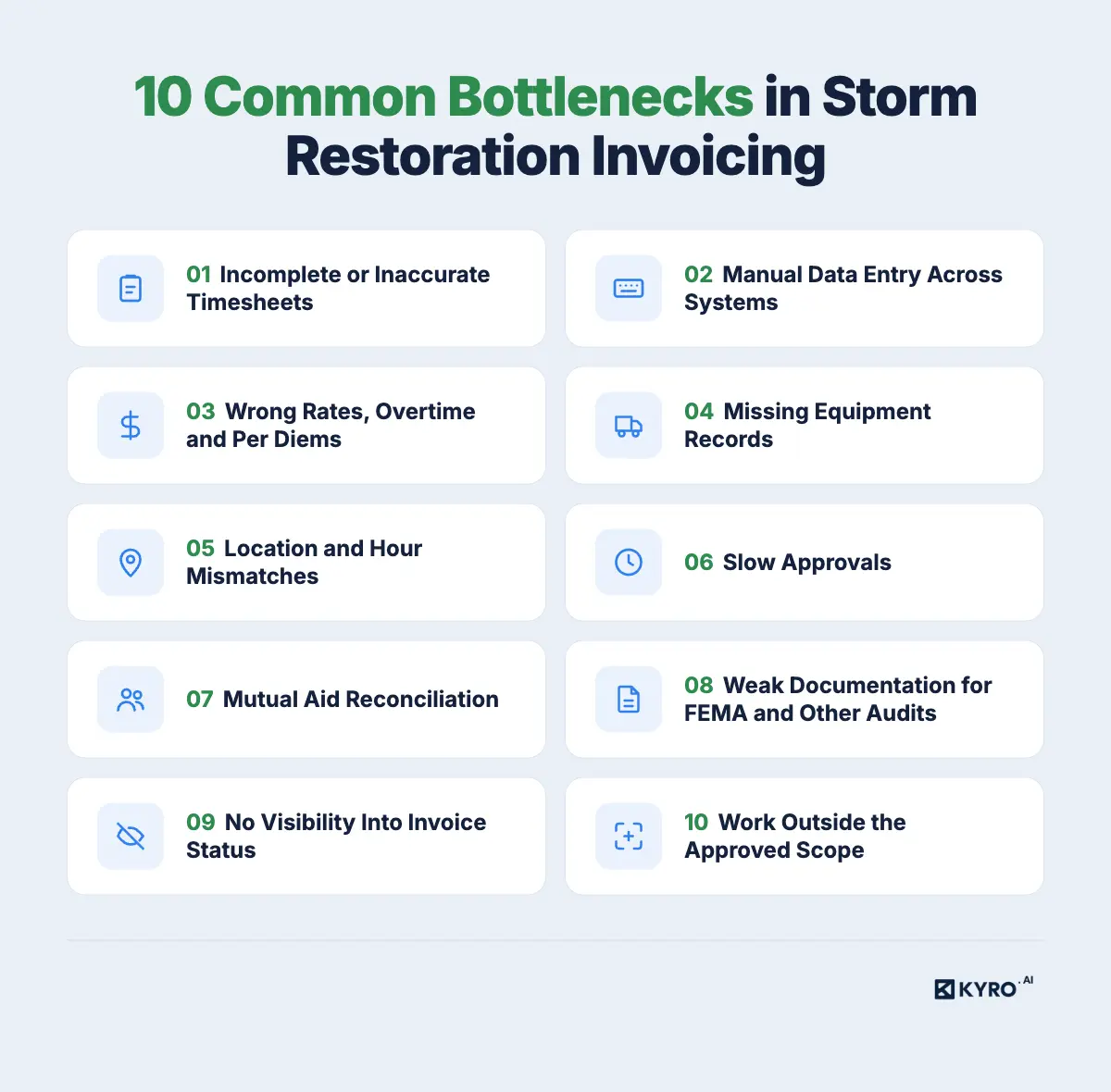
This article explains the 10 most common invoicing challenges during storm restoration and how to fix them.
10 Challenges in Storm Restoration Invoicing and How to Overcome Them?
From inaccurate timesheets to delayed approvals, these 10 common issues can slow down storm restoration invoicing and payment.
1. Incomplete or Inaccurate Timesheets
Labor costs are based on timesheets, so missing or incorrect entries can lead to billing errors. During storms, crews often work long shifts in remote areas. Hours may be recorded from memory at the end of a shift or week.
Common problems include
Missing clock-in or clock-out times
Regular, overtime and double-time hours mixed up
No employee name, crew ID or job reference
Late submissions or no supervisor sign-off
Hours logged to the wrong date, work order or event
A DoD Inspector General audit of Puerto Rico grid restoration after Hurricane Maria found that three of seven labor-hour spreadsheets reviewed didn't reconcile with the hours billed and paid.
The Fix:
When
What to do
Owner
Before the storm
Use one timesheet format with required fields: worker name, crew ID, work order, storm event, regular hours, overtime, and double-time hours.
Utility and contractor
During the work
Record hours every shift instead of waiting until the end of the week. Get supervisor approval daily.
Crew lead, supervisor
At closeout
Check for missing clock times, unsigned timesheets, and hours recorded under the wrong date or work order. Correct them before billing.
Hours often move from field records to spreadsheets, payroll, billing tools, and finance systems. Each time someone enters the same data again, errors or outdated figures can slip in. It also becomes harder to trace invoice amounts back to the original field records.
The Fix: Use one system to record and approve crew hours and equipment use. Generate invoices from these approved records instead of manually entering the same information into multiple tools. Make sure each invoice line can be traced back to its original field entry.
Owner: Contractor operations team
Proof to keep: Approved timesheets, equipment logs, and an audit trail linking invoice lines to original field records and approvals.
3. Wrong Rates, Overtime and Per Diems
Contractors may use different rates based on job roles, working hours, and contract terms. Billing errors happen when the wrong rate is used, overtime is calculated incorrectly, per diems are charged twice, or unsupported markups are added.
Union crews have additional pay rules. For example, under the NECA/IBEW National Outside Construction Emergency Response Agreement, linemen are paid based on the wage and benefits of the local union where they work, not their home local. Travel time to and from the work site is also paid.
Rates can also vary by local agreement.IBEW Local 456, for example, pays double time for all work hours, including mobilization. Standby is paid at time and a half, and crews receive $20 per meal after every five hours if the utility does not provide food.
With different rates and pay rules across contractors and union locals, utilities need to check every invoice against the correct agreement before approving payment.
The Fix:
When
What to do
Owner
Before the storm
Load each contractor's approved rate sheet, overtime rules, per diem amounts, and allowed markups into the billing system.
Utility procurement + contractor
During the work
Tag every entry with the right job class and labor category so the rate applies automatically.
Crew lead
At closeout
Spot-check high-dollar lines: overtime thresholds, duplicate per diems, subcontractor rates, and any markup against the contract.
Contractor billing, utility reviewer
Proof to keep
The signed rate sheet and the contract clause behind every markup or special charge.
If an invoice bills five days of a bucket truck and the logs show three, the charge stalls until someone checks the agreement. Equipment needs the same proof as labor.
The Fix: Record equipment use alongside crew hours every shift. For each unit, note its ID, hours used, idle time, standby time, and breakdowns. Before submitting an invoice, compare the billed hours or rental days with the daily logs and check that the charges match the rental agreement and applicable rates.
Owner: Crew lead, contractor billing team
Proof to keep: Daily equipment logs, rental agreements, fuel receipts, and repair records.
5. Location and Hour Mismatches
Crews move between staging areas, substations, and repair sites. Problems arise when timesheets and work orders show different locations, travel or mobilization time is not recorded, or the same hours are billed under two assignments.
The Fix: Record each crew member's clock-in and clock-out time with GPS location and the assigned work order. Track travel, mobilization, and demobilization separately. Before invoicing, compare time entries with work orders to identify incorrect locations, missing hours, or overlapping assignments.
Proof to keep: GPS-stamped time entries, work orders, mobilization and demobilization records.
6. Slow Approvals
An invoice may pass through a supervisor, project manager, prime contractor, utility rep and finance. Without clear owners, it sits in someone's inbox, and any correction sends it back to the start.
The Fix:
When
What to do
Owner
Before the storm
Name a reviewer for each stage, set a turnaround target per step, and share the workflow with contractors.
Utility storm finance
During the work
Approve timesheets and equipment logs daily so invoices don't arrive as one big batch at the end.
Supervisors
At closeout
Route invoices through the agreed path; add or swap reviewers when someone is out instead of letting items wait.
Utility AP, contractor billing
Proof to keep
An approval history showing who approved what and when.
7. Mutual Aid Reconciliation
During a major storm, other utilities send crews to help and later bill the utility receiving assistance. Each utility may submit invoices in different formats and use different rates. Timesheets may arrive weeks late, and demobilization records may be missing. This makes it difficult to verify hours, equipment costs, and rates before making payments. As a result, reconciliation can take months.
To avoid these delays, both utilities should understand the mutual aid agreement before the storm.
Deadlines: For example, the NEPPA agreement requires invoices within 30 days after assistance ends and requests payment within 45 days (NEPPA billing guide). Late timesheets can make it difficult to meet these deadlines.
What's reimbursable: The agreement should clearly explain which costs can be billed, such as actual wages, travel time, equipment at FEMA rates, and hotel stays at double occupancy. Overhead, personal expenses, and meals already provided by the host utility are not reimbursable under the APPA principles.
APPA members can also use its mutual aid invoice templates to organize billing details and prepare documentation for FEMA reimbursement.
The Fix: Agree on billing rules before the storm, collect supporting records daily, and check invoices against the agreement before submission.
When
What to do
Owner
Before the storm
Sign mutual aid agreements that clearly define invoice deadlines, reimbursable costs, rates, and required supporting documents.
Requesting and responding utilities
During the work
Collect signed daily timesheets, equipment logs, and crew assignment records from every responding crew. Share records regularly instead of waiting until the work ends.
Responding utility, crew leads
At closeout
Check invoices against the agreement. Remove non-reimbursable expenses, correct billing errors, and submit invoices within the agreed deadline.
An invoice is only as reliable as the records behind it. During storm restoration, utilities need to verify every billed expense, including labor hours, equipment use, meals, and travel costs. These records are important for invoice approval, internal audits, and FEMA reimbursement claims. If supporting documents are missing, utilities may face payment disputes or have costs rejected by FEMA.
FEMA appeal decisions and other audits show how missing records can affect reimbursement:
Unverified labor hours: A DHS Inspector General audit found that the Virgin Islands Housing Finance Authority paid contractors without verifying their labor hours. The projects involved about $104 million in subcontractor labor invoices.
Missing expense details: In an appeal involving Meriwether Lewis Electric Cooperative after the August 2021 Tennessee storms, FEMA denied $17,067.89 in meal expenses because the cooperative did not provide sufficient supporting documents to show that the costs met FEMA's meal policy.
In another case, Baldwin County EMC's $16,500 meal claim was denied because supporting records were missing. Hotel costs were approved because receipts listed each occupant.
A U.S. Department of Homeland Security InspectorGeneral audit of FEMA grants to Lee County, Florida, found that $994,425 in labor, equipment, and materials costs and $267,452 was incurred for road repair costs that lacked adequate supporting documentation following Hurricane Irma.
When invoices live in inboxes, nobody can easily tell whether one is under review, returned or ready to pay. Contractors keep asking for updates, and managers can't see what's causing the backlog.
The Fix: Track every invoice in one place with standard statuses: submitted, in review, returned, approved, and paid. Review the status weekly and log why invoices come back, so recurring problems get fixed at the source.
Owner: Utility Accounts Payable Team (AP)
Proof to keep: Tracker history with submission dates, return reasons, and payment dates.
10. Work Outside the Approved Scope
Storm crews may find additional work while making repairs. But if the work is not included in the approved work order, the related charges may be questioned or rejected. Common examples include upgrading equipment instead of replacing it with the same type, doing extra repairs without approval, or using materials that are not listed in the work order.
Even small items get flagged. FEMA first denied Meriwether Lewis Electric Cooperative $2,823.11 for conductor wire on a mutual aid invoice because it wasn't in the project's scope of work. The co-op got it back only on second appeal, after documenting that the wire went into eligible repairs.
The Fix: Approve changes before the work, not after. When crews find work beyond the work order, they log it as a field change with a photo, location, and supervisor sign-off, and billing ties it to that invoice line.
Owner: Crew lead, supervisor
Proof to keep: Approved work orders, field change approvals with photos, and material records tied to each job.
How Do Invoice Issues Affect Utilities and Contractors?
During reconciliation, the utility compares each contractor invoice to its backup. Any mismatch stops the line, and the cost lands on both sides.
Impact
Contractor
Utility
Cash flow
Payment waits while a rejected invoice is fixed and resubmitted.
Storm costs stay unsettled on the books.
Admin load
Billing staff rebuild records and answer questions.
AP and storm finance chase backup across inboxes.
Disputes
Unclear rates turn into arguments over what's owed.
Reviewers spend time on charges a contract should have settled.
Cost visibility
Hard to know true job margin until invoices clear.
Hard to report the event's total cost to leadership or regulators.
How KYRO AI helps with Storm Restoration Timesheets and Invoicing
KYRO AI’s Timesheets and Invoicing feature helps utilities and contractors track crew hours and manage billing during storm restoration.
Crews can log hours individually or as a group using their phones. Those without personal devices can clock in through a shared tablet using Kiosk mode. If there is no internet connection, offline sync saves the entries and uploads them once connectivity returns.
KYRO AI also tracks:
Regular, overtime, and storm labor rates
Per diem and missed-meal charges
Equipment hours
Work locations and mobilization records
These records flow directly into invoices, along with approvals and supporting documents. This reduces duplicate data entry and makes it easier to verify charges before submitting invoices. Utilities and contractors can continue using their existing processes while keeping timesheets and billing records connected.
Keep timesheets accurate, simplify invoice reviews, and avoid billing delays with KYRO AI.
Most delays come from incomplete timesheets, billed hours that don’t match recorded hours, missing backup, wrong rates or slow approvals. Multiple contractors and disconnected systems make each harder to resolve.
2. What documents are needed for storm restoration invoicing?
It depends on the contract and applicable rules. Typically: crew timesheets, payroll records, work orders, approved rate sheets, equipment logs, expense receipts, mobilization and demobilization records, and supervisor approvals.
3. How can utilities prevent mismatches between timesheets and contractor invoices?
Standardize time entry, verify timesheets before invoicing, compare billed hours to approved records, check rates against the contract and flag duplicate or incomplete entries.
Time records show what labor was performed, how many hours were charged and how costs connect to eligible work. Eligibility still depends on FEMA program rules and the full documentation package.
5. How can contractors get paid faster after storm work?
Submit complete invoices on time, in the agreed format and at the agreed rates, with the required backup. Answer questions quickly and track each invoice through approval and payment.
6. Can digital timesheets reduce storm restoration billing errors?
Yes, especially when time records connect to approved rates, equipment usage and invoicing. They reduce transcription mistakes and missing entries, though accurate field entries and approval controls are still needed. KYRO AI is an end-to-end storm restoration tool with timesheet and invoicing feature to overcome the challenges in manual invoicing process.
Author
Azma Banu
Digital Marketing Associate - Content
Azma Banu is a Senior Content Strategist specializing in long-form content. She creates detailed guides, blogs, and thought leadership content across Energy & Utilities, Quality Assurance, and AI, translating complex topics into clear, practical content for business audiences.
We use cookies to understand how people use our site and to improve it. You can accept or reject them, or choose which ones we use. Read our Privacy Policy.
Cookie preferences
Choose which cookies we can use. You can change this at any time from Cookie settings in the footer.