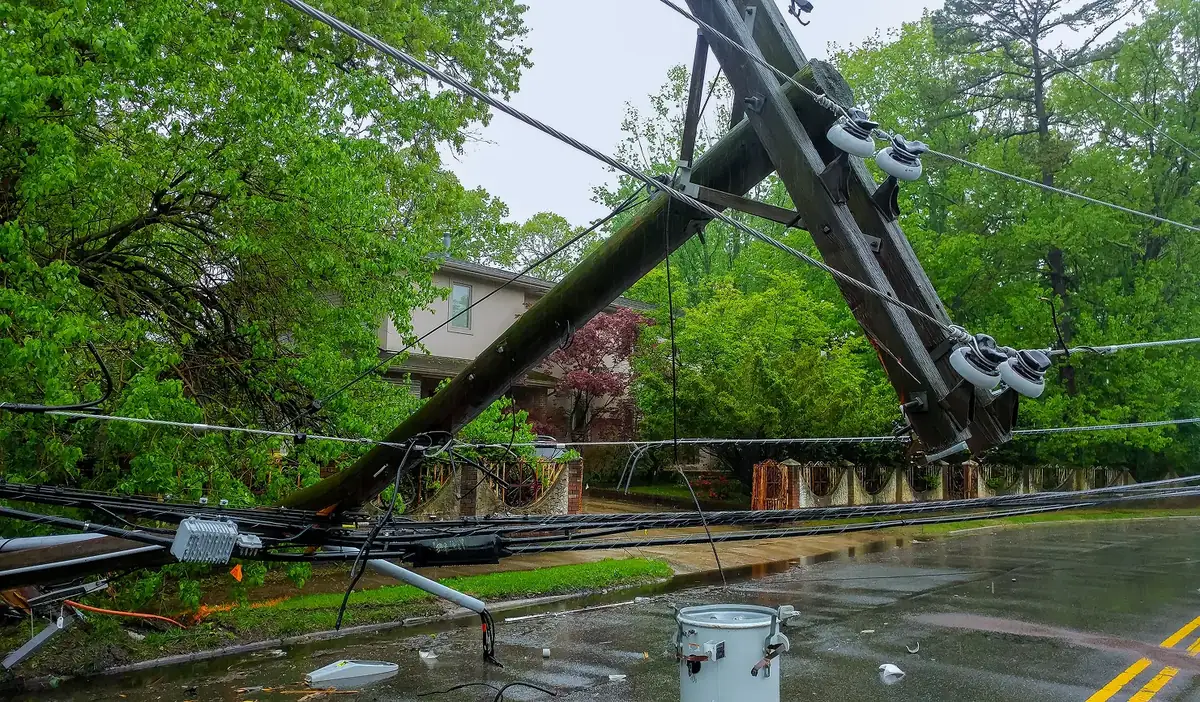
timesheets app for storm crews

Offline Timesheet App for Storm Crews: Track Hours, Expenses, and Payroll Faster

April 28, 2026
4 min read

When a major storm hits, utility contractors and field crews are the first out of the door. The work is physically demanding, the hours are long, and the conditions are tough. You are out there fixing power lines, clearing roads, and helping communities get back to normal.

But if you talk to any field worker or office manager in the storm restoration business, they will tell you that the hardest part of the job is often not physical work. It is paperwork.

For a long time, the way we track hours and log expenses out in the field has been broken. Field crews are forced to use confusing Excel spreadsheets on their phones or deal with stacks of paper forms. This leads to inaccurate field crew time tracking, lost receipts, forgotten hours, and delayed paychecks.

It is time for a better way. Field workers deserve software that makes their jobs easier, not harder. In this post, we will look at the biggest problems with how timesheets and expenses are handled today, the real cost of those problems, and how our new, easy-to-use mobile app solves them all.

Why Storm Crew Timesheet Systems Fail in the Field

To build an app that truly helps, we first had to look at why the current method with legacy approaches are failing. By talking to crews on the ground and managers in the office, we found three major problems with how data is collected today.

  1. Broken and Disconnected Paperwork

In a lot of companies, tracking time and money is a disorganized mess. Workers try to type their hours into blocky Excel sheets on tiny phone screens, or they use paper forms on clipboards that get wet or lost. These steps are completely disconnected from each other.

Because the tools are so bad, mistakes happen all the time. Paper crew timesheets often miss important details. Workers forget to write down specific storm call rates, their exact equipment hours, or their missed meal allowances. When timesheets are not connected to the expense logs, the office staff must spend days trying to match everything up by hand.

  1. The Need for an Internet Connection

Many software companies make mobile apps that track expenses. But almost all of these apps have a huge flaw for storm workers: they need the internet to work.

Think about it. If you are a worker repairing a power line after a hurricane, the cell phone towers are probably down. There is no internet. If your timesheet app needs an internet connection to open, it is completely useless to you on the job site. Because the apps won't load, crews must wait until the end of a 16-hour shift when they get back to the hotel's Wi-Fi network to log their hours.  

By the time they finally sit down, they are exhausted. It is easy to forget exactly how many hours a specific truck was used or to lose a fuel receipt under a car seat.

  1. Apps That Are Just Too Hard to Use

Field workers are hired to do tough, skilled labor, not to be data entry clerks. Their main focus is safety and getting the power back on. If a mobile app has too many confusing menus, tiny buttons, or requires twenty clicks just to log one hour of overtime, the crew simply will not want to use it. If a system is not easy to use, people will rush through it, which leads to bad information.

The Real Cost of Manual Timesheets in Storm Restoration

These problems in the field do not just frustrate the workers. They cause huge financial headaches for the entire company. When you rely on unconnected Excel sheets and physical paper, it hurts the business in several major ways:

  • Invoices Get Rejected: Utility companies are very strict. If you send them an invoice package to get paid, but you are missing expense receipts or mobilization and demobilization documents, they will reject the entire package. You do not get paid until everything is perfectly documented.
  • FEMA Payments Are Delayed: To get money back from FEMA (the Federal Emergency Management Agency), you need exact proof of the work done at the field level. If that supporting documentation wasn't captured correctly when the crew was out on the site, those reimbursements can be delayed for months.
  • Late Sub-Contractor Invoices: Sub-contractors often send their bills to the prime contractor weeks late because there is no automated system to approve the hours. Everything moves at the speed of paper, which is simply too slow.
  • Payroll and Invoicing Do Not Match: This is the biggest headache of all. Because the timesheets and the office billing are running on totally different, unconnected systems, the payroll data and the invoicing data never match up. Office workers must spend hours checking numbers manually to find out where the mistake happened.

The Solution: A Simple, Offline-Ready Mobile App

We saw these problems and decided to build something better. We designed a straightforward mobile app made specifically for the daily life of a storm contractor. Instead of dealing with separate messy sheets, we got everything in one simple place.

Here is how our mobile app makes life much easier for both the storm restoration field worker and the office manager.

  1. It Works Completely Offline

The most important feature of KYRO AI StormShield is that it works entirely offline. Whether a crew is in a dead zone in the woods or a city with no power, it's an instant offline file data collection app that never lags. Workers can log their ST, DT, OT hours (Standard time, over time, and double time), record equipment usage, and fill out their daily meals consumed forms without any internet connection at all.

As they work, all the information is saved safely on their phone. Later, when they drive back into an area with a cell signal or connect to Wi-Fi, the app automatically sends all that saved data straight to the home office. The worker doesn't have to perform any action in the app.

Offline feature in KYRO AI


  1. Fast and Easy Daily Timesheets

We completely redesigned the timesheet so it makes sense for a crew leader. When you open the Daily Timesheet on your phone, you see three simple tabs: Crew, Equipment, and Meals.

  • Crew: You can quickly tap to add standard time hours, overtime, and double-time for every team member.
  • Equipment: You can easily track the hours for bucket trucks, digger derricks, and other vehicles to ensure they are billed correctly.
  • Meals: There is a dedicated section to log per-diems and missed meals, so no one loses out on the money they are owed.

The best part is that we added a "Copy Previous Day" button. Most days on a storm site look very similar to the day before. Instead of typing everything out again, a worker can tap one button to copy yesterday's crew and equipment lists, make a few quick changes, and submit it. What used to take twenty minutes on paper now takes less than a minute.

Timesheets in KYRO AI

  1. Bulk Expense Uploads (No More Lost Receipts)

We got rid of the old method of handing in a messy pile of paper receipts at the end of the week. With our app, logging expenses is as simple as taking a photo.

Workers can select the type of expense (like Fuel, Lodging, or Tolls) and snap a picture of the receipt. We even built a "Bulk Upload" feature. This means a worker can lay five fuel and toll receipts on the dashboard of their truck, take pictures of all of them, and upload them at the same time. The app scans the pictures, reads the dollar amounts for you, and attaches them securely to the job. The office gets the exact digital proof they need to avoid rejected invoices.

Automated Expense sheets

  1. Simple Work Location Logs

To make sure FEMA and utility companies have the exact proof they require, we added an easy Work Location Log. While out on the site, crews can quickly type in the event number, the address, the pole number, and the exact times they arrived and finished the job. This directly connects the hours worked and the money spent to a real, verifiable location.

  1. Connected Data for Faster Payments

Because timesheets, location logs, and expense receipts are all captured in the same app, the entire system is finally connected.

When a field worker taps "Submit," the data goes directly to the manager for approval. There are no lost emails or missing papers. Sub-contractor invoices do not get delayed for weeks. And because the system is connected from end-to-end, the data sent to payroll is the exact same data sent to invoicing. The numbers finally match.

Conclusion

Storm restoration work will always be tough, but managing the paperwork doesn't have to be. We have seen how broken workflows, physical paper forms, and internet-only apps stand in the way of getting the job done and getting paid on time.

By using an easy, offline-ready mobile app, we are fixing the mess. Field crews can log their hours in minutes, take pictures of their receipts, and rest easy knowing their data is saved safely, even without cell service. Meanwhile, the office gets accurate, connected data that prevents rejected invoices, speeds up FEMA payments, and makes sure payroll is perfect.

It is time to throw away the clipboard and the complicated Excel files. With better tools like KYRO AI StormShield in the hands of the workers, the entire company can work faster, get paid sooner, and focus on what really matters: safely restoring power and helping communities recover.

To know more about KYRO AI StormShield, register to our live webinar for in-depth insights.  

FAQ

Q: What makes an offline-first timesheet app different from cloud-based apps?

A: Offline-first apps allow workers to enter data without an internet connection, whereas cloud-based apps require constant connectivity. For storm restoration crews working in areas with no cell service or downed power lines, this difference is critical. The app stores data safely on the phone and syncs automatically once connectivity is restored, eliminating the need to wait until end of shift to log hours.

Q: How do FEMA reimbursement requirements affect timesheet app design?

A: FEMA documentation requires details of work by location, including specific times and descriptions of work performed. Timesheet apps must support rapid capture of these details in the field so crews don't forget specifics after a long shift. Our work location log feature ensures this critical documentation is captured in real-time, with event numbers, addresses, pole numbers, and precise arrival/departure times.

Q: Can sub-contractors use the same timesheet app as prime contractors?

A: Yes. The app's flexibility allows both prime and sub-contractor crews to log hours and expenses identically. This creates consistency in data and eliminates delays when sub-contractor invoices need to be compiled into master invoices sent to utilities for payment approval.

Q: What about data security for offline data stored on phones?

A: All data stored locally on the phone is encrypted using industry-standard protocols. When data syncs to the cloud, it uses secure HTTPS connections. Worker data is never transmitted unencrypted, whether offline or online. Data privacy and security are built into every layer of the app.

Q: How much faster is timesheet data entry with this app versus Excel sheets?

A: Field testing shows the app reduces daily timesheet entry from 15-20 minutes per day to under 5 minutes. The "Copy Previous Day" feature and simplified three-tab interface (Crew, Equipment, Meals) significantly reduce repetitive data entry. Workers can focus on fieldwork rather than administrative tasks.

Q: Does the app integrate with payroll and invoicing systems?

A: Yes. The connected data system ensures timesheet data flows directly to both payroll and invoicing systems without manual re-entry. This eliminates the common issue where payroll and invoicing data don't match, which causes invoice rejections and payment delays.

Q: What regulatory standards does the offline timesheet app comply with?

A: The app meets FEMA documentation requirements for disaster response work, supports CDL driver hour tracking for regulatory compliance, and handles labor law requirements for overtime tracking and meal allowance documentation. Data is structured to meet utility company invoice requirements across different regions and jurisdictions.


Offline Timesheet App for Storm Crews: Track Hours, Expenses, and Payroll Faster

April 28, 2026
4 min read
April 29, 2026
David Garcia
Product Manager
Author
David Garcia
Product Manager
Contributor
Srinivas N G
Product Manager

When a major storm hits, utility contractors and field crews are the first out of the door. The work is physically demanding, the hours are long, and the conditions are tough. You are out there fixing power lines, clearing roads, and helping communities get back to normal.

But if you talk to any field worker or office manager in the storm restoration business, they will tell you that the hardest part of the job is often not physical work. It is paperwork.

For a long time, the way we track hours and log expenses out in the field has been broken. Field crews are forced to use confusing Excel spreadsheets on their phones or deal with stacks of paper forms. This leads to inaccurate field crew time tracking, lost receipts, forgotten hours, and delayed paychecks.

It is time for a better way. Field workers deserve software that makes their jobs easier, not harder. In this post, we will look at the biggest problems with how timesheets and expenses are handled today, the real cost of those problems, and how our new, easy-to-use mobile app solves them all.

Why Storm Crew Timesheet Systems Fail in the Field

To build an app that truly helps, we first had to look at why the current method with legacy approaches are failing. By talking to crews on the ground and managers in the office, we found three major problems with how data is collected today.

  1. Broken and Disconnected Paperwork

In a lot of companies, tracking time and money is a disorganized mess. Workers try to type their hours into blocky Excel sheets on tiny phone screens, or they use paper forms on clipboards that get wet or lost. These steps are completely disconnected from each other.

Because the tools are so bad, mistakes happen all the time. Paper crew timesheets often miss important details. Workers forget to write down specific storm call rates, their exact equipment hours, or their missed meal allowances. When timesheets are not connected to the expense logs, the office staff must spend days trying to match everything up by hand.

  1. The Need for an Internet Connection

Many software companies make mobile apps that track expenses. But almost all of these apps have a huge flaw for storm workers: they need the internet to work.

Think about it. If you are a worker repairing a power line after a hurricane, the cell phone towers are probably down. There is no internet. If your timesheet app needs an internet connection to open, it is completely useless to you on the job site. Because the apps won't load, crews must wait until the end of a 16-hour shift when they get back to the hotel's Wi-Fi network to log their hours.  

By the time they finally sit down, they are exhausted. It is easy to forget exactly how many hours a specific truck was used or to lose a fuel receipt under a car seat.

  1. Apps That Are Just Too Hard to Use

Field workers are hired to do tough, skilled labor, not to be data entry clerks. Their main focus is safety and getting the power back on. If a mobile app has too many confusing menus, tiny buttons, or requires twenty clicks just to log one hour of overtime, the crew simply will not want to use it. If a system is not easy to use, people will rush through it, which leads to bad information.

The Real Cost of Manual Timesheets in Storm Restoration

These problems in the field do not just frustrate the workers. They cause huge financial headaches for the entire company. When you rely on unconnected Excel sheets and physical paper, it hurts the business in several major ways:

  • Invoices Get Rejected: Utility companies are very strict. If you send them an invoice package to get paid, but you are missing expense receipts or mobilization and demobilization documents, they will reject the entire package. You do not get paid until everything is perfectly documented.
  • FEMA Payments Are Delayed: To get money back from FEMA (the Federal Emergency Management Agency), you need exact proof of the work done at the field level. If that supporting documentation wasn't captured correctly when the crew was out on the site, those reimbursements can be delayed for months.
  • Late Sub-Contractor Invoices: Sub-contractors often send their bills to the prime contractor weeks late because there is no automated system to approve the hours. Everything moves at the speed of paper, which is simply too slow.
  • Payroll and Invoicing Do Not Match: This is the biggest headache of all. Because the timesheets and the office billing are running on totally different, unconnected systems, the payroll data and the invoicing data never match up. Office workers must spend hours checking numbers manually to find out where the mistake happened.

The Solution: A Simple, Offline-Ready Mobile App

We saw these problems and decided to build something better. We designed a straightforward mobile app made specifically for the daily life of a storm contractor. Instead of dealing with separate messy sheets, we got everything in one simple place.

Here is how our mobile app makes life much easier for both the storm restoration field worker and the office manager.

  1. It Works Completely Offline

The most important feature of KYRO AI StormShield is that it works entirely offline. Whether a crew is in a dead zone in the woods or a city with no power, it's an instant offline file data collection app that never lags. Workers can log their ST, DT, OT hours (Standard time, over time, and double time), record equipment usage, and fill out their daily meals consumed forms without any internet connection at all.

As they work, all the information is saved safely on their phone. Later, when they drive back into an area with a cell signal or connect to Wi-Fi, the app automatically sends all that saved data straight to the home office. The worker doesn't have to perform any action in the app.

Offline feature in KYRO AI


  1. Fast and Easy Daily Timesheets

We completely redesigned the timesheet so it makes sense for a crew leader. When you open the Daily Timesheet on your phone, you see three simple tabs: Crew, Equipment, and Meals.

  • Crew: You can quickly tap to add standard time hours, overtime, and double-time for every team member.
  • Equipment: You can easily track the hours for bucket trucks, digger derricks, and other vehicles to ensure they are billed correctly.
  • Meals: There is a dedicated section to log per-diems and missed meals, so no one loses out on the money they are owed.

The best part is that we added a "Copy Previous Day" button. Most days on a storm site look very similar to the day before. Instead of typing everything out again, a worker can tap one button to copy yesterday's crew and equipment lists, make a few quick changes, and submit it. What used to take twenty minutes on paper now takes less than a minute.

Timesheets in KYRO AI

  1. Bulk Expense Uploads (No More Lost Receipts)

We got rid of the old method of handing in a messy pile of paper receipts at the end of the week. With our app, logging expenses is as simple as taking a photo.

Workers can select the type of expense (like Fuel, Lodging, or Tolls) and snap a picture of the receipt. We even built a "Bulk Upload" feature. This means a worker can lay five fuel and toll receipts on the dashboard of their truck, take pictures of all of them, and upload them at the same time. The app scans the pictures, reads the dollar amounts for you, and attaches them securely to the job. The office gets the exact digital proof they need to avoid rejected invoices.

Automated Expense sheets

  1. Simple Work Location Logs

To make sure FEMA and utility companies have the exact proof they require, we added an easy Work Location Log. While out on the site, crews can quickly type in the event number, the address, the pole number, and the exact times they arrived and finished the job. This directly connects the hours worked and the money spent to a real, verifiable location.

  1. Connected Data for Faster Payments

Because timesheets, location logs, and expense receipts are all captured in the same app, the entire system is finally connected.

When a field worker taps "Submit," the data goes directly to the manager for approval. There are no lost emails or missing papers. Sub-contractor invoices do not get delayed for weeks. And because the system is connected from end-to-end, the data sent to payroll is the exact same data sent to invoicing. The numbers finally match.

Conclusion

Storm restoration work will always be tough, but managing the paperwork doesn't have to be. We have seen how broken workflows, physical paper forms, and internet-only apps stand in the way of getting the job done and getting paid on time.

By using an easy, offline-ready mobile app, we are fixing the mess. Field crews can log their hours in minutes, take pictures of their receipts, and rest easy knowing their data is saved safely, even without cell service. Meanwhile, the office gets accurate, connected data that prevents rejected invoices, speeds up FEMA payments, and makes sure payroll is perfect.

It is time to throw away the clipboard and the complicated Excel files. With better tools like KYRO AI StormShield in the hands of the workers, the entire company can work faster, get paid sooner, and focus on what really matters: safely restoring power and helping communities recover.

To know more about KYRO AI StormShield, register to our live webinar for in-depth insights.  

FAQ

Q: What makes an offline-first timesheet app different from cloud-based apps?

A: Offline-first apps allow workers to enter data without an internet connection, whereas cloud-based apps require constant connectivity. For storm restoration crews working in areas with no cell service or downed power lines, this difference is critical. The app stores data safely on the phone and syncs automatically once connectivity is restored, eliminating the need to wait until end of shift to log hours.

Q: How do FEMA reimbursement requirements affect timesheet app design?

A: FEMA documentation requires details of work by location, including specific times and descriptions of work performed. Timesheet apps must support rapid capture of these details in the field so crews don't forget specifics after a long shift. Our work location log feature ensures this critical documentation is captured in real-time, with event numbers, addresses, pole numbers, and precise arrival/departure times.

Q: Can sub-contractors use the same timesheet app as prime contractors?

A: Yes. The app's flexibility allows both prime and sub-contractor crews to log hours and expenses identically. This creates consistency in data and eliminates delays when sub-contractor invoices need to be compiled into master invoices sent to utilities for payment approval.

Q: What about data security for offline data stored on phones?

A: All data stored locally on the phone is encrypted using industry-standard protocols. When data syncs to the cloud, it uses secure HTTPS connections. Worker data is never transmitted unencrypted, whether offline or online. Data privacy and security are built into every layer of the app.

Q: How much faster is timesheet data entry with this app versus Excel sheets?

A: Field testing shows the app reduces daily timesheet entry from 15-20 minutes per day to under 5 minutes. The "Copy Previous Day" feature and simplified three-tab interface (Crew, Equipment, Meals) significantly reduce repetitive data entry. Workers can focus on fieldwork rather than administrative tasks.

Q: Does the app integrate with payroll and invoicing systems?

A: Yes. The connected data system ensures timesheet data flows directly to both payroll and invoicing systems without manual re-entry. This eliminates the common issue where payroll and invoicing data don't match, which causes invoice rejections and payment delays.

Q: What regulatory standards does the offline timesheet app comply with?

A: The app meets FEMA documentation requirements for disaster response work, supports CDL driver hour tracking for regulatory compliance, and handles labor law requirements for overtime tracking and meal allowance documentation. Data is structured to meet utility company invoice requirements across different regions and jurisdictions.

David Garcia
Product Manager

David Garcia is a Product Manager at KYRO AI, where he leads the platform’s roadmap across Storm Restoration, Vegetation Management, and Construction Management. With a background in Customer Success, he brings a field-first perspective shaped by close work with crews and operators, focusing on building AI-driven technology—like StormShield and KORY—that works in real-world conditions.

Discover more related blogs.