.jpg)
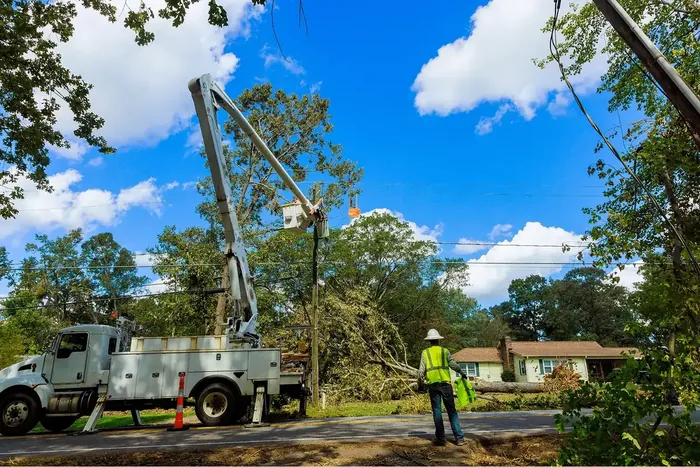
Not every workday is a storm. Between activations, crews are still in the field logging hours, completing jobs, and generating billable work that requires the same operational accuracy as storm response.
That's what Blue Sky operations are. And KYRO AI's daily update form is where that work gets documented.
Departing Location affects far more than dispatch logistics. It influences mileage calculations, drive-time pay, mobilization billing, lodging reconciliation, meal allowances, and invoice validation.
Because those downstream workflows depend on accurate origin data, field teams and back-office staff often end up referencing multiple systems to confirm where a crew started the day. Text threads, call logs, spreadsheets, and memory become part of the operational process.
KYRO AI StormShield centralizes that information directly within the daily workflow, so the same operational record follows the job from field entry through invoicing and funding.
This functionality supports everyone who touches daily field operations in KYRO AI. The operational impact is especially important for three groups:
The Blue Sky Day form is structured to capture the operational details crews and back-office teams rely on every day, including Work Date, Customer Name, Work Location, Job Number, Hall Working Under, and Departing Location. All these are organized in the header section to support accurate field reporting, compliance tracking, and smoother downstream workflows.
The field defaults to the same crew's Departing Location (crew deployment tracking) from the previous day. In many cases, crews are reporting from the same yard, hotel, or staging area as the prior day, which reduces repetitive entry.
Start typing and the field surfaces suggestions from the crew's recent departing locations and the addresses already logged in the storm's Work Location Log. Familiar places come up immediately without needing to type a full address.
When a crew moves to a new yard, a customer site, or a staging area that isn't in the system yet, the field accepts free-text entry. No admin involvement is needed. No waiting for a dropdown option to be added. Enter it once and it becomes available as a suggestion going forward.
Departing Location is a required field. The form will not be submitted without it. Because downstream payroll, storm operation billing, and funding approvals depend on accurate origin data. And an invoice built on incomplete location data creates back-and-forth with funders that slows down payment.
Once submitted, Departing Location is captured on the same row as the day's timesheet entry. The information stays attached to the operational record throughout the billing lifecycle instead of requiring manual verification later.
That means:
For back-office teams, one standardized field removes a recurring reconciliation task across crews, timesheets, and invoices.
Departing Location plays a critical role in daily field operations because it connects crews, travel, job assignments, and deployment records to a single source of truth inside KYRO AI. It becomes especially important during invoice reviews, compliance checks, union reporting, and capital workflows where exact crew movement history must be traceable.
By keeping this information tied directly to the form, teams avoid disconnected spreadsheets, side notes, and manual follow-ups while maintaining cleaner operational records across the entire workflow.
The strongest field operations systems are built around small details captured consistently. Departing Location already affects payroll, travel pay, invoicing, reimbursement, compliance, and funding approvals across the lifecycle of a job.
Keeping that information tied directly to the daily Blue Sky update reduces administrative follow-up, improves invoice defensibility, and gives contractors a cleaner audit trail from field entry through billing.
For teams still managing this process through texts, spreadsheets, and disconnected tools, centralizing that data inside KYRO AI StormShield creates immediate operational clarity.
FAQs
What is a Blue Sky Day in KYRO?
Blue Sky days are normal, non-storm operations days — the regular field work that happens between storm activations. KYRO's daily update form is how crews log hours, locations, and job details on those days, keeping billing continuous regardless of whether a major event is active.
Why is Departing Location required and not optional?
Because it directly impacts storm restoration billing and crew reimbursement calculations. Mileage, drive-time pay, Mob/Demob, lodging, and meal line items all depend on where the crew started the day. Making it optional would mean optional accuracy on the invoice — which creates reconciliation problems downstream and can delay funding.
What if the crew departs from a location that isn't in the system yet?
The field accepts free-text entry as a fallback. Enter the address or location name manually and it'll be saved for future suggestions. No admin setup is required.
Does the default location update automatically each day?
Yes. The field defaults to the same crew's Departing Location from the prior day. If the crew is staying at the same staging area or yard, it's typically a one-tap confirmation. If they've moved, the crew lead updates it manually.
Where does Departing Location appear on the invoice?
It's captured on the same row as the day's timesheet entry, so it carries directly into invoice generation without any manual linking. Funders reviewing the invoice can see the originating location for every day billed.
Does this change anything about how storm activation rosters work?
No. The Contractor Roster at storm activation already captures Departing Location. This update brings the daily Blue Sky form into alignment with that existing data, and it doesn't change the activation flow.

Not every workday is a storm. Between activations, crews are still in the field logging hours, completing jobs, and generating billable work that requires the same operational accuracy as storm response.
That's what Blue Sky operations are. And KYRO AI's daily update form is where that work gets documented.
Departing Location affects far more than dispatch logistics. It influences mileage calculations, drive-time pay, mobilization billing, lodging reconciliation, meal allowances, and invoice validation.
Because those downstream workflows depend on accurate origin data, field teams and back-office staff often end up referencing multiple systems to confirm where a crew started the day. Text threads, call logs, spreadsheets, and memory become part of the operational process.
KYRO AI StormShield centralizes that information directly within the daily workflow, so the same operational record follows the job from field entry through invoicing and funding.
This functionality supports everyone who touches daily field operations in KYRO AI. The operational impact is especially important for three groups:
The Blue Sky Day form is structured to capture the operational details crews and back-office teams rely on every day, including Work Date, Customer Name, Work Location, Job Number, Hall Working Under, and Departing Location. All these are organized in the header section to support accurate field reporting, compliance tracking, and smoother downstream workflows.
The field defaults to the same crew's Departing Location (crew deployment tracking) from the previous day. In many cases, crews are reporting from the same yard, hotel, or staging area as the prior day, which reduces repetitive entry.
Start typing and the field surfaces suggestions from the crew's recent departing locations and the addresses already logged in the storm's Work Location Log. Familiar places come up immediately without needing to type a full address.
When a crew moves to a new yard, a customer site, or a staging area that isn't in the system yet, the field accepts free-text entry. No admin involvement is needed. No waiting for a dropdown option to be added. Enter it once and it becomes available as a suggestion going forward.
Departing Location is a required field. The form will not be submitted without it. Because downstream payroll, storm operation billing, and funding approvals depend on accurate origin data. And an invoice built on incomplete location data creates back-and-forth with funders that slows down payment.
Once submitted, Departing Location is captured on the same row as the day's timesheet entry. The information stays attached to the operational record throughout the billing lifecycle instead of requiring manual verification later.
That means:
For back-office teams, one standardized field removes a recurring reconciliation task across crews, timesheets, and invoices.
Departing Location plays a critical role in daily field operations because it connects crews, travel, job assignments, and deployment records to a single source of truth inside KYRO AI. It becomes especially important during invoice reviews, compliance checks, union reporting, and capital workflows where exact crew movement history must be traceable.
By keeping this information tied directly to the form, teams avoid disconnected spreadsheets, side notes, and manual follow-ups while maintaining cleaner operational records across the entire workflow.
The strongest field operations systems are built around small details captured consistently. Departing Location already affects payroll, travel pay, invoicing, reimbursement, compliance, and funding approvals across the lifecycle of a job.
Keeping that information tied directly to the daily Blue Sky update reduces administrative follow-up, improves invoice defensibility, and gives contractors a cleaner audit trail from field entry through billing.
For teams still managing this process through texts, spreadsheets, and disconnected tools, centralizing that data inside KYRO AI StormShield creates immediate operational clarity.
FAQs
What is a Blue Sky Day in KYRO?
Blue Sky days are normal, non-storm operations days — the regular field work that happens between storm activations. KYRO's daily update form is how crews log hours, locations, and job details on those days, keeping billing continuous regardless of whether a major event is active.
Why is Departing Location required and not optional?
Because it directly impacts storm restoration billing and crew reimbursement calculations. Mileage, drive-time pay, Mob/Demob, lodging, and meal line items all depend on where the crew started the day. Making it optional would mean optional accuracy on the invoice — which creates reconciliation problems downstream and can delay funding.
What if the crew departs from a location that isn't in the system yet?
The field accepts free-text entry as a fallback. Enter the address or location name manually and it'll be saved for future suggestions. No admin setup is required.
Does the default location update automatically each day?
Yes. The field defaults to the same crew's Departing Location from the prior day. If the crew is staying at the same staging area or yard, it's typically a one-tap confirmation. If they've moved, the crew lead updates it manually.
Where does Departing Location appear on the invoice?
It's captured on the same row as the day's timesheet entry, so it carries directly into invoice generation without any manual linking. Funders reviewing the invoice can see the originating location for every day billed.
Does this change anything about how storm activation rosters work?
No. The Contractor Roster at storm activation already captures Departing Location. This update brings the daily Blue Sky form into alignment with that existing data, and it doesn't change the activation flow.


David Garcia is a Product Manager at KYRO AI, where he leads the platform’s roadmap across Storm Restoration, Vegetation Management, and Construction Management. With a background in Customer Success, he brings a field-first perspective shaped by close work with crews and operators, focusing on building AI-driven technology—like StormShield and KORY—that works in real-world conditions.